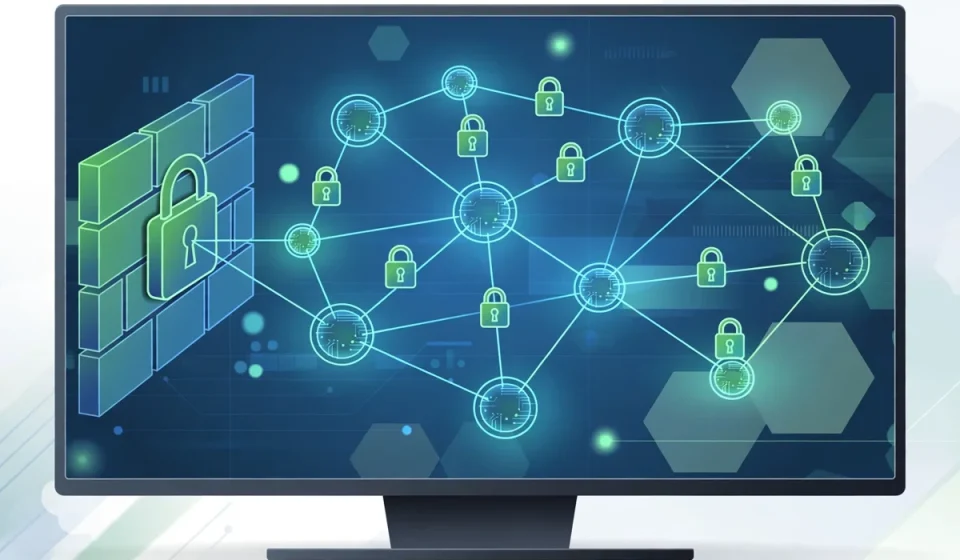

Network security software protects the connections, devices and data that make up a business network. Every time staff send an email, open a cloud app, join a video call or work from home, data travels across that network. If one part of the network is weak, attackers can use it to reach sensitive systems, steal information or disrupt work.
Think of a network like the roads, doors and hallways of an office building. Network security software is the set of guards, locks, cameras and rules that control who can enter, what they can do once inside, and how problems are spotted. No single tool does all of this well. A strong setup uses several types of software together, each with a clear job.
For a small business, network security software may start with a firewall, safe remote access and simple monitoring. A larger business may add intrusion detection, access control and segmentation to protect many offices, remote workers and cloud services. In both cases, the goal is the same: keep trusted traffic moving, block harmful traffic, and find problems early.
What Is Network Security Software?
Network security software is software that monitors, controls and protects network traffic and access. It watches data as it moves between computers, servers, phones, printers and cloud services. It can block dangerous connections, check whether a device should be allowed on the network, alert staff to unusual activity, and record what happened for later review.
It is different from security software that only protects one computer. Endpoint protection, for example, guards a single laptop or phone. Network security software guards the paths between devices. That is why the two work best together. One protects the device itself, and the other protects the network around it.
Good network security software also helps with everyday work. It can separate guest Wi-Fi from business systems, give remote staff a safe way to connect, and help managers see which systems are online. When it is set up well, staff can work normally while risks stay under control.
The Main Types of Network Security Software
Each type below solves a different problem. Read them in order, and notice how they build on each other. Most businesses need more than one type, but they do not need every advanced feature at once.
Firewall Software
Firewall software controls which network connections are allowed. It follows rules about where traffic comes from, where it is going, and which service it uses. Traffic that matches the rules is allowed. Traffic that does not match is blocked or logged for review.
A business firewall can separate office systems from guest Wi-Fi, block connections to known harmful addresses, and limit which services are open to the internet. Many firewalls also inspect traffic for signs of known attacks. Firewalls are a first layer of defense, but they are not enough alone. They cannot always tell whether allowed traffic, such as an email or a web request, contains a hidden attack.
Intrusion Detection and Prevention: IDS and IPS
Intrusion detection systems, or IDS, watch network traffic for signs of attacks and policy problems. They compare traffic with known attack patterns and look for unusual behavior, such as repeated failed logins or strange data transfers. When they find a problem, they raise an alert for staff to review.
Intrusion prevention systems, or IPS, go one step further. They can block or stop suspicious traffic automatically. This is useful at night and on weekends, when no one may be watching alerts. The trade-off is that an IPS must be tuned carefully. If its rules are too strict, it can block normal work. If they are too loose, it can miss real attacks. A good setup starts with alerts, then turns on blocking for the clearest threats first.
Virtual Private Network: VPN
A virtual private network, or VPN, creates a private, encrypted connection over a public network such as the internet. Remote staff use a VPN to reach office systems without exposing their traffic to anyone on a hotel, airport or home Wi-Fi network. The VPN encrypts the data in transit, so even if someone intercepts it, they cannot easily read it.
A business VPN should require strong sign-in, such as multi-factor authentication, and should only give each person access to the systems they need. A VPN protects traffic on its way to the office, but it does not check whether the device itself is safe. That is why VPN access should be combined with device checks and access control.
Network Access Control: NAC
Network access control, or NAC, decides which devices and users can join a network, and what they can do once connected. Before a device is allowed full access, NAC can check whether it has up-to-date software, endpoint protection and a valid user account. A device that fails those checks may be put in a limited area, blocked, or sent for repair.
NAC is especially useful for offices with visitors, contractors and many personal devices. Guests can be given internet-only access, while staff devices get access to business systems. This reduces the risk that an unknown or infected device can move freely across the network.
Network Monitoring Software
Network monitoring software watches traffic, devices and performance in real time. It shows which devices are online, how much data they use, and whether traffic looks unusual. Staff can use it to spot a device sending large amounts of data at night, a new device that should not be there, or a service that has stopped working.
Monitoring is also the record that helps after an incident. Logs and alerts show when a problem started, which systems were involved, and what changed. Without monitoring, a business may not know it has been attacked until damage is already done. The key is to assign someone to review alerts regularly. Monitoring software that no one checks does not protect anyone.
Network Segmentation Tools
Segmentation tools divide a network into smaller, separate parts, called segments. Each segment has its own rules about what can enter and leave. For example, payment systems can sit in one segment, guest Wi-Fi in another, and office computers in a third. Traffic between segments must pass through a firewall or other controls.
Segmentation limits damage. If an attacker reaches one segment, they cannot easily move to every other part of the business. It also helps with compliance and privacy, because sensitive data can be kept in a tightly controlled segment. Segmentation takes planning, but even a simple split between staff, guests and sensitive systems is a big improvement over one flat network where everything can reach everything else.
Comparison Table: The Main Types at a Glance
Use this table to compare the types quickly. Notice that no row covers everything on its own.
| Type | Main job | What it stops or finds |
|---|---|---|
| Firewall software | Controls allowed connections | Unwanted or risky network traffic |
| IDS and IPS | Watches for attacks and blocks threats | Known attacks and unusual traffic |
| VPN | Encrypts remote connections | Eavesdropping on public networks |
| Network access control | Checks devices and users before entry | Unknown, unsafe or guest devices |
| Network monitoring | Watches devices and traffic over time | Hidden problems and outages |
| Segmentation tools | Splits the network into safer parts | Attackers moving across the whole network |
How the Types Work Together in Layers
Network security works best in layers, like several doors between an attacker and your most important data. Each layer catches problems that the last one missed.
First, access control and the firewall decide who and what can enter. A guest device gets only internet access, while a staff laptop with up-to-date protection gets access to business systems. Next, segmentation keeps those systems apart, so a problem in guest Wi-Fi does not spread to payment or customer records.
While traffic moves, IDS and IPS watch for attacks, and monitoring records what happens. If a remote worker connects from home, a VPN encrypts that journey. If one layer fails, the next layer still gives you a chance to stop or spot the attack. That is why buying one strong tool is rarely enough, and why a balanced set of tools matters more than a single famous product.
Features Checklist for Choosing Network Security Software
Use this checklist when you compare options. You do not need every feature on day one, but the basics below should be in place before you rely on a tool.
- Clear rules: You can set and review who can connect, and what each group can reach.
- Strong sign-in: Support for multi-factor authentication and single sign-on for staff and remote users.
- Useful alerts: Alerts explain the problem, its risk and the next step, instead of flooding you with noise.
- Logs and reports: You can see past traffic, devices and incidents when you need to investigate.
- Easy updates: Rules, attack patterns and software updates are simple to apply and do not break normal work.
- Device checks: The tool can check device health, or works well with software that does.
- Scale and support: The tool fits your number of users and sites, and support answers quickly when you need help.
Before you buy, run a short trial with a small group. Test remote access, guest access and a blocked connection. Check how clear the alerts are, how much time setup takes, and what happens when a device is offline. Ask how data is stored, how you can export logs, and how you can leave the service if it does not fit.
In short, network security software is not one product. It is a set of tools that control entry, watch traffic, protect remote work and limit damage. Start with a firewall, safe remote access and monitoring, add access control and segmentation as you grow, and make sure someone reviews alerts and updates rules regularly. That layered approach keeps your network usable for staff and much harder for attackers to use.
Frequently Asked Questions
What is network security software?
Software that monitors, controls and protects network traffic and access.
Do small businesses need network security software?
Yes. Even a small network needs a firewall, safe remote access and monitoring.
Is a firewall enough on its own?
No. You also need access control, monitoring and segmentation.
What is the difference between IDS and IPS?
IDS alerts you to attacks, while IPS can block suspicious traffic automatically.
Does a VPN protect the whole network?
No. A VPN secures remote connections, but devices and internal segments still need protection.