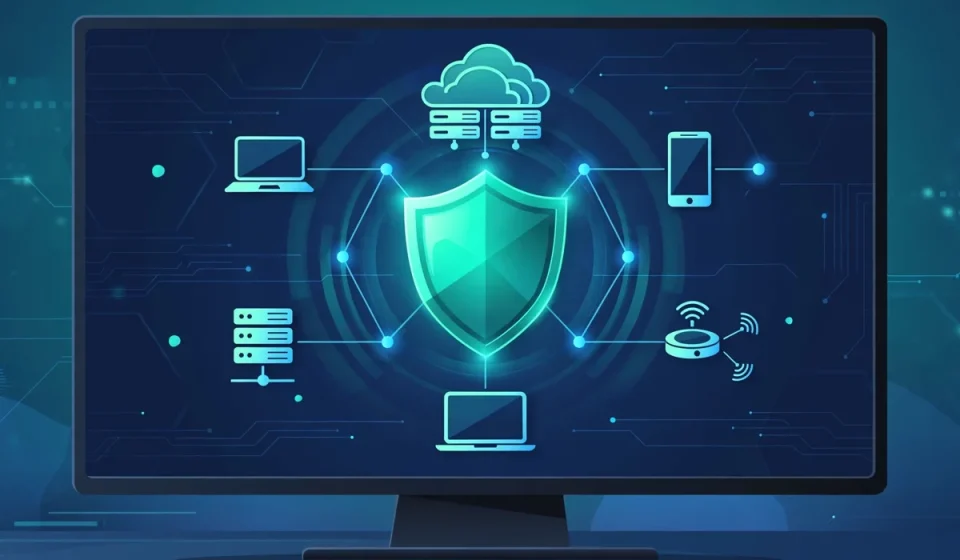

A cyber security solution is a combination of tools and services that protect systems, networks and data from attacks, theft and damage. It is not one single product. It is the set of defenses a business uses every day to keep its computers, websites, email, cloud apps and customer information safe.
Think of it like security for a building. A lock on the front door helps, but it is not enough on its own. You also need alarms, cameras, rules about who can enter, and someone to check when something looks wrong. A good cyber security solution works the same way. Different tools guard different doors, and people and rules tie them together.
For a small business, this can be simple: strong passwords, updated software, antivirus on every computer, and a backup you can trust. For a larger company, it can include a security team, monitoring around the clock, and tools that watch cloud systems. In both cases, the goal is the same: stop attacks early, limit damage when something gets through, and recover quickly.
What a Cyber Security Solution Is, in Simple Words
At its core, a cyber security solution protects three things. First, it protects systems, such as laptops, servers and phones. Second, it protects networks, which are the connections those devices use to talk to each other and to the internet. Third, it protects data, including customer names, payment details, business plans and work files.
A complete solution usually combines four parts. Tools do the technical work, such as blocking malware and checking for strange activity. Services add human help, such as monitoring, incident response and advice. Policies set the rules, such as who can access what and how passwords must work. Training helps staff spot phishing emails and avoid risky clicks. If any one of these parts is missing, the whole defense gets weaker.
That is why buying one antivirus program and calling the job done is a mistake. A single tool can help, but attackers try many routes. They send fake emails, try weak passwords, exploit old software, and target cloud accounts. A solution should cover the most likely routes into your business, not just one of them.
The Main Types of Cyber Security Solutions
The table below gives a quick overview. Each type solves a different problem, and most businesses need more than one.
| Type | What it protects | What it does in plain words |
|---|---|---|
| Endpoint protection | Laptops, desktops and phones | Blocks malware and suspicious programs on each device |
| Firewall | Network traffic | Blocks unwanted connections and controls what can enter or leave |
| Email security | Inboxes and messages | Filters phishing, spam and harmful attachments |
| Cloud security tools | Cloud apps and accounts | Checks settings, access and data in cloud services |
| SIEM and SOAR | Logs and alerts across systems | Collects events, spots patterns and helps automate responses |
| Managed detection and response (MDR) | The whole business, with expert help | A team watches, investigates and responds to threats for you |
Endpoint Protection
Endpoint protection runs on each device and stops viruses, ransomware and other malware. Modern tools do more than scan files. They watch how programs behave, block a program that starts encrypting files, and can isolate a device from the network if it looks infected. Every work laptop and phone should have it, including devices used at home.
Firewall
A firewall is a gatekeeper for network traffic. It follows rules about which connections are allowed and blocks the rest. A business firewall can separate office systems from guest Wi-Fi, block traffic from risky countries if needed, and inspect web traffic for known threats. It is a basic layer, but it is still essential.
Email Security
Email remains one of the easiest ways into a business. Email security tools filter out phishing messages, fake invoices and links to harmful sites before staff see them. They also check attachments in a safe sandbox. Because people, not machines, read email, this layer should be paired with short, regular training and a simple way to report a suspicious message.
Cloud Security Tools
Cloud security tools protect services such as Google Workspace, Microsoft 365, Amazon Web Services and other cloud apps. They check for public storage buckets, weak sharing settings, old accounts and unusual logins. They also help enforce multi-factor authentication and least-privilege access, which means each person only gets the access they truly need.
SIEM and SOAR
SIEM stands for security information and event management. It collects logs from many systems and looks for patterns that a single tool would miss, such as a login at 3 a.m. followed by a large download. SOAR stands for security orchestration, automation and response. It helps automate simple steps, such as blocking an IP address or disabling an account, so teams can act faster.
Managed Detection and Response
Managed detection and response, or MDR, is a service rather than a single tool. A provider watches your systems around the clock, investigates alerts, and helps contain attacks. This is useful for businesses that do not have a full-time security team. When you compare MDR providers, ask how fast they respond, what they can do without your approval, and how they report incidents to you.
What a Complete Solution Should Cover
A complete cyber security solution should cover people, devices, networks, data and recovery. Use this list as a simple check before you buy anything new. If a product only covers one area, ask what will cover the rest.
- Identity and access: Strong passwords, multi-factor authentication, and access that is removed quickly when staff leave.
- Devices: Endpoint protection, automatic updates, and encryption on laptops and phones.
- Network: A firewall, safe Wi-Fi, and controls for remote access and VPN use.
- Email and web: Phishing filters, safe browsing, and clear reporting for suspicious messages.
- Cloud and apps: Secure settings, regular access reviews, and alerts for unusual logins or sharing.
- Data: Backups that are tested, encryption for sensitive files, and rules for who can download or share data.
- Monitoring and response: Alerts that someone actually reviews, plus a written plan for what to do during an incident.
- People: Short training, simple rules, and practice so staff know how to respond to a phishing email or a lost device.
Backups deserve special attention. A backup is not useful if it has never been tested. Once a quarter, try restoring a file or a folder and check that the process works. Store at least one backup away from your main systems, so ransomware cannot encrypt both your live data and your only copy.
Also plan for the day something goes wrong. Write down who to call, how to isolate a device, how to change passwords, and how to tell customers if their data may be affected. A calm, written plan saves time and reduces mistakes during a stressful incident.
How a Business Chooses a Cyber Security Solution
There is no best solution for every business. The right choice depends on your size, your budget, your risks and your team. Start with what you actually have to protect, not with a vendor’s feature list.
Start With Company Size and Risk
A five-person business with one office and a few cloud apps needs a different setup from a 200-person company with customer data, payment systems and remote staff. List your most important systems first: email, customer records, payment tools, cloud storage and any industry systems. Then list the worst realistic incidents, such as ransomware, a stolen laptop, or a phishing attack on an admin account. Choose tools that reduce those specific risks.
Also check any rules that apply to your industry. Health, finance and education businesses often have extra requirements for data protection, access control and record keeping. If a vendor cannot explain how it helps you meet those rules, keep looking.
Match the Budget to the Total Cost
Look at total cost, not just the headline price. Some tools charge per user, per device or per month. Others add fees for support, setup or extra storage. A managed service may look expensive until you compare it with hiring, training and keeping a security specialist on staff.
A practical approach is to set a core budget for the essentials, such as endpoint protection, email security, backups and multi-factor authentication. Then add monitoring or managed help if you handle sensitive data or cannot watch alerts yourself. Avoid paying for advanced features you will not use in the next year.
In-House Team or Managed Service?
An in-house team gives you direct control and deep knowledge of your business. It works well when you already have skilled staff and enough alerts to keep them busy. A managed service, such as MDR, gives you expert coverage without hiring a full team, and it can watch systems at night and on weekends.
Many small and mid-size businesses use a mix. They manage day-to-day tools themselves and use a managed provider for monitoring, incident response and advice. Whatever you choose, make sure someone is responsible for alerts. A tool that sends warnings nobody reads does not protect you.
When you talk to vendors, ask for a trial or a pilot with a small group first. Check how easy the tool is to install, how clear the alerts are, and how good the support is when you have a question. Ask what happens when a device is offline, how data is stored, and how you can leave the service if it does not work out.
Common Buying Mistakes to Avoid
First, do not buy on fear alone. A scary demo does not mean a product fits your business. Match the tool to a real risk you have, and ask for proof it solves that problem.
Second, do not stack too many overlapping tools. Overlapping tools can slow computers, create confusing alerts, and leave gaps because each team assumes another tool is handling the risk. Choose a smaller set that works well together, and turn off tools you no longer need.
Third, do not ignore the basics. Weak passwords, missing updates and untested backups cause many incidents. A fancy monitoring tool will not fix a business that still shares one admin password among all staff.
Fourth, do not forget training and rules. Tools help, but people click links, share files and set passwords. Keep training short, practical and regular. Use real examples from your own inbox, without blaming staff for mistakes.
Finally, do not set it and forget it. Review access every few months, remove old accounts, update your incident plan, and test backups. Security is ongoing work, not a one-time purchase.
In short, a good cyber security solution is a practical mix of tools, services, rules and training that fits your size and risks. Start with the basics, cover devices, networks, email, cloud and data, and make sure someone watches alerts and knows what to do when they appear. That steady approach protects your business far better than the most expensive single product.
How to Get Started in 30 Days
You do not need to fix everything in one week. A steady 30-day plan is more realistic and easier to keep. Start with the risks that would hurt most, then build from there.
Week 1: Take Stock and Fix the Basics
Make a simple list of devices, accounts, cloud apps and important data. Remove old accounts and former staff access right away. Turn on multi-factor authentication for email, cloud storage and admin accounts. Update operating systems, browsers and business apps, and check that endpoint protection is installed on every device. This week alone closes many common gaps.
Also check your backups. Confirm that backups run on schedule, that you know where they are stored, and that you can restore a test file. If you cannot restore a file, your backup plan is only a hope, not a safety net.
Week 2: Protect Email, Network and Cloud Access
Review email security settings and make sure phishing filters are turned on. Set a clear rule for financial requests: verify payment changes by phone using a known number, never by replying to the email that asked for the change. Review Wi-Fi settings, separate guest Wi-Fi from business systems, and change any default router or admin passwords.
Next, review cloud sharing. Look for files shared with anyone who has a link, public folders, and admin accounts that are no longer needed. Give each person only the access they need for their job, and turn on alerts for new admin accounts, large downloads and logins from new devices.
Week 3: Watch, Test and Train
Decide who will review security alerts and how often. Even a simple daily check of email security reports, endpoint alerts and cloud login alerts is a big step. Run a short training session for staff using real examples, such as a fake invoice, a password reset scam, or a message that pretends to come from a boss. Keep it friendly and practical.
Test your incident plan with a simple tabletop exercise. Ask the team: what would we do if a laptop were stolen today, or if ransomware appeared on one computer? Write down the gaps you find and fix the most important ones first.
Week 4: Review, Document and Improve
In the final week, review what you changed, what still needs work, and what it cost. Document your tools, renewal dates, admin contacts and backup steps in one safe place. Set a calendar reminder to review access, test backups and update the plan every three months. Security improves when it becomes a routine, not a one-time project.
Questions to Ask Before You Buy
Good vendors welcome clear questions. Use these questions to compare options fairly, rather than relying on marketing claims alone.
- What exact problem does this tool solve for a business like mine?
- How long does setup take, and what help do you provide during setup?
- What happens when a device is offline, or when the internet is down?
- How are alerts prioritized, and who responds to them at night?
- Can I export my data and reports if I decide to leave?
- How often do you update the product, and are updates automatic?
- What training and support are included in the price?
- Has the product been tested against ransomware and phishing in real use?
Ask for references from businesses of a similar size, if possible. A tool that works well for a large enterprise may be too complex for a small team, and a simple tool may not scale if your business grows quickly.
Small Business Example
Consider a small online shop with eight staff, a website, email and cloud storage. A practical cyber security solution for this shop might include endpoint protection on all laptops, email filtering, multi-factor authentication, a firewall for the office network, automatic cloud backups, and a managed monitoring service that reviews alerts.
The shop does not need every advanced tool on the market. It needs the basics done well, a clear incident plan, and someone to call when an alert looks serious. As the shop grows, it can add cloud security checks, deeper monitoring and more formal access reviews. This step-by-step approach keeps costs under control while reducing the most likely risks first.
A larger example shows the same idea at a bigger scale. A mid-size company with 150 staff might add SIEM tools to collect logs from many systems, SOAR automation to block known threats quickly, and a dedicated MDR team for around-the-clock response. The principles stay the same: protect identity, devices, networks, email, cloud and data, and make sure alerts lead to action.
Frequently Asked Questions
What is a cyber security solution?
A combination of tools and services that protect systems, networks and data.
Do small businesses need a cyber security solution?
Yes. Small businesses are common targets, and basic protection is affordable.
Is antivirus enough on its own?
No. You also need email filtering, updates, backups and access controls.
What is MDR?
Managed detection and response: experts watch systems and respond to threats.
How much should a business spend?
Start with essentials, then add monitoring based on risk and budget.