
If you have ever signed in once at work and then opened email, a project tool, and a payroll app without typing your password again, you have used single sign-on. Behind that smooth experience, there is often a standard called SAML. This guide explains the saml meaning in simple words, shows how a SAML login works step by step, and compares SAML with SSO, OAuth, and OIDC.
What Does SAML Mean?
SAML stands for Security Assertion Markup Language. That long name hides a simple idea. SAML is a shared language that lets one system tell another system, in a trusted way, that a user has already signed in. The word language matters here: it is a standard format, so products from different companies can understand each other.
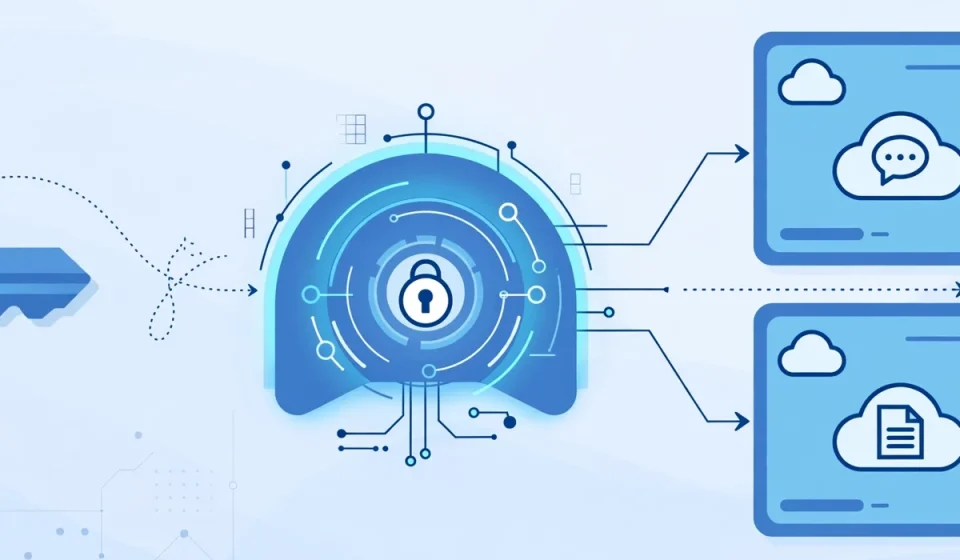
Think of it like a sealed letter of introduction. When you sign in with your company account, your identity provider writes a trusted note that says who you are. It seals that note so it cannot be changed in transit. Then it hands the note to the app you want to use. The app checks the seal, trusts the note, and lets you in without asking for your password again.
SAML is mainly used for web-based single sign-on in businesses. It has been around for many years, so it is well tested and widely supported by company software, cloud services, and identity systems. When people ask about the saml meaning, the short answer is this: SAML is the trusted messaging standard that makes business single sign-on possible.
Why SAML Exists
Before single sign-on, every app needed its own username and password. Employees had to remember many passwords, and many of them reused the same one everywhere. That created real risk. If one app was breached, the same password could work in other apps too. Help desks also spent a lot of time resetting forgotten passwords.
SAML solves this by moving sign-in to one central place. Your company checks your identity once, using its own rules, which may include multi-factor authentication. After that, trusted apps accept the result instead of asking for a password each time. This is easier for users, and it gives the company one place to control access, turn off accounts when people leave, and apply security rules.
The Three Parties in SAML
Every SAML login involves three parties. Once you know them, the whole flow is much easier to follow.
1. The User
The user is the person trying to sign in, such as an employee, a contractor, or a student. The user opens an app in a browser and wants access. In SAML terms, the user is sometimes called the principal, because the login is about proving who this person is.
The user does not need to understand SAML. From their side, the experience is simple: they click sign in, they may enter a password and a second factor once, and then the app opens. If they are already signed in, the app may open at once, with no extra steps.
2. The Identity Provider (IdP)
The identity provider, often shortened to IdP, is the system that checks who you are. Common examples include a company directory service, a cloud identity platform, or a school login system. The IdP holds user accounts, checks passwords, and can require extra checks such as a code from an authenticator app.
The IdP is the trusted source in the flow. It is the only party that sees your password. Apps do not check your password themselves. Instead, they trust the IdP to confirm your identity and to send a signed message about the result.
3. The Service Provider (SP)
The service provider, often shortened to SP, is the app or website you want to use. It could be an email service, a customer system, a learning platform, or a cloud dashboard. The service provider does not want to manage passwords for every customer. Instead, it relies on an identity provider it trusts.
When you arrive at the app, the service provider checks whether you already have a valid session. If not, it sends you to the identity provider to sign in. When you return with a trusted message, the service provider creates a session for you in that app, so you can work without signing in again for that app.
How a SAML Login Works, Step by Step
Here is the usual flow when you open an app that uses SAML. The steps happen quickly, often in a few seconds.
Step 1: You open the app
You go to the app, for example your company email or a project tool, and click sign in. The app checks whether you already have a session there. If you do, it opens at once. If not, it starts the SAML flow.
Step 2: The app sends you to the identity provider
The app, as the service provider, creates a request that says it needs proof of your identity. Your browser is sent to the identity provider. This request also says which app is asking, so the identity provider knows who to trust.
Step 3: You sign in at the identity provider
At the identity provider, you sign in with your company account. If you are already signed in there, this step may be skipped. The identity provider may also ask for a second factor, such as a code from an app or a security key, depending on company policy.
Step 4: The identity provider creates an assertion
Once your identity is confirmed, the identity provider creates a SAML assertion. This is the trusted note described earlier. It states who you are, which app it is for, and how long it is valid. The identity provider signs it digitally, so the app can check that it is real and unchanged.
Step 5: Your browser delivers the assertion to the app
Your browser carries the signed assertion back to the app. The app checks the signature, the timing, and the intended recipient. It does not need to see your password at any point in this exchange.
Step 6: The app signs you in
If the checks pass, the app creates a session for you and opens your account. From now on, you can move around inside that app without signing in again, until the session ends. If you open a second app that trusts the same identity provider, you will often be signed in there too, without another password.
This flow is why single sign-on feels simple. You sign in once at a central place, and each app trusts that result. If you sign out of the identity provider, or your session expires, you will be asked to sign in again, which keeps access under control.
What Is a SAML Assertion?
A SAML assertion is the core message in SAML. It is a structured document, written in a format called XML, that carries statements about a user. Think of it as a short, sealed report with three kinds of information.
First, an authentication statement says that the user was authenticated, when it happened, and how, for example with a password and a second factor. Second, attribute statements carry useful details, such as a name, an email address, a department, or a job role. The app can use these details to set up the account or decide what the user may see. Third, the assertion may include conditions, such as the time it is valid and the app it was made for, so it cannot be reused somewhere else or long after it was issued.
Assertions are signed by the identity provider. Signing works like a tamper-proof seal: if anyone changes the message, the signature no longer matches, and the app will reject it. This is a key reason SAML is trusted for business logins. The app never has to guess whether the message is real. It checks the signature against a certificate it already trusts from the identity provider.
SAML vs SSO vs OAuth and OIDC
These terms are often mixed up, because they are related but not the same. The table below sums up the difference in plain language.
| Term | What it is | What it does |
|---|---|---|
| SSO | An experience, or goal | Sign in once, then use many apps without signing in again |
| SAML | A standard for SSO | Lets an identity provider prove your identity to business web apps with signed messages |
| OAuth | A standard for authorization | Lets one app access your data in another app, with your permission, without sharing your password |
| OIDC | A login layer on OAuth | Adds identity to OAuth, so apps can confirm who you are, often used by consumer apps and mobile apps |
In short, SSO is what the user experiences. SAML and OIDC are two different ways to make SSO happen. SAML is older, uses XML, and is common in business and enterprise software. OIDC is newer, uses a lighter format called JSON, and is common in modern web and mobile apps. OAuth, on its own, is not a login method. It is about permission to access data, and OIDC builds login on top of it.
A company may use both SAML and OIDC. For example, older business apps may use SAML, while newer cloud and mobile apps use OIDC, all connected to the same identity provider. From the user’s side, the experience is the same: one sign-in, many apps.
Where SAML Is Used
SAML is used most often where a company needs strong, central control over logins. Large employers use it for email, document tools, human resources systems, and customer platforms. Schools and universities use it so students can reach library systems, learning platforms, and email with one account. Hospitals and government agencies use it to control access to sensitive systems while keeping sign-in simple for staff.
It is also used between organizations. A supplier portal, a partner dashboard, or a cloud service can trust a customer’s identity provider, so the customer’s staff can sign in with their normal work account. This avoids duplicate accounts and makes it easy to remove access when someone changes roles or leaves.
Frequently Asked Questions
What does SAML stand for?
SAML stands for Security Assertion Markup Language. It is a standard that lets an identity provider send a trusted, signed message to an app, proving that a user has signed in.
Is SAML the same as SSO?
No. SSO, or single sign-on, is the experience of signing in once and using many apps. SAML is one standard that makes SSO possible, mainly for business web apps.
How is SAML different from OAuth and OIDC?
SAML is an older, XML-based standard used mainly for business single sign-on. OAuth is about giving an app permission to access data without sharing your password. OIDC adds login identity on top of OAuth and is common in modern web and mobile apps.
Is SAML secure?
SAML is secure when it is set up correctly. Assertions are signed, so they cannot be changed without detection, they expire quickly, and they are tied to a specific app. Security also depends on strong sign-in at the identity provider, such as multi-factor authentication, and on using encrypted connections.
Do I need to set up SAML myself?
As a normal user, no. Your IT team or administrator connects each app to the identity provider once. After that, you simply sign in with your usual work or school account, and SAML handles the rest in the background.