
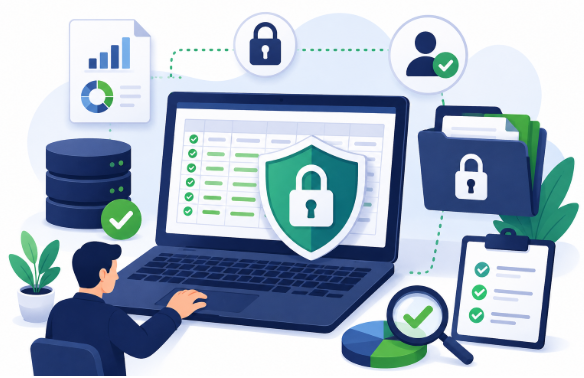

Businesses depend on data for almost every part of modern operations, so maintaining data accuracy and confidentiality is a top priority. Customer records, supplier information, financial details, product databases, employee records, sales information, and operational reports all need to be reliable enough to support everyday activities and important decisions.
However, collecting information is only part of the challenge.
Organizations must also ensure that information remains accurate and secure throughout its lifecycle. Incorrect records can lead to poor decisions and operational mistakes, while weak confidentiality controls can expose information to unauthorized individuals.
This makes data accuracy and confidentiality closely connected priorities.
Businesses need processes that help prevent entry errors, identify outdated or inconsistent information, control access, protect sensitive records, and maintain accountability over how data is handled.
What Is Data Accuracy?
Data accuracy refers to how correctly information represents the real-world person, transaction, product, organization, or event it describes.
Accurate information should be:
- Correct
- Complete where required
- Consistent
- Properly formatted
- Relevant
- Up to date
- Free from unnecessary duplicates
For example, a customer record may contain a correctly formatted email address but still be inaccurate if the address belongs to another person.
Similarly, a product database may appear complete but contain outdated pricing or incorrect SKU information.
Accuracy therefore involves more than simply filling every field.
What Is Data Confidentiality?
Data confidentiality refers to protecting information from unauthorized access, disclosure, or inappropriate use.
Not every employee needs access to every piece of business information.
For example, an employee responsible for updating product records may not need access to financial information or unrelated customer data.
Confidentiality controls help organizations determine:
Who can access information → What they can access → What they can do with it → When access should be removed
Maintaining confidentiality is especially important when businesses process personal, financial, proprietary, or otherwise sensitive information.
Why Data Accuracy and Confidentiality Need to Work Together
Accuracy without security creates risk.
A business could maintain perfectly organized records but still face serious problems if unauthorized individuals can access them.
Security without accuracy also has limited value.
A highly protected database filled with outdated, duplicated, or incorrect records cannot reliably support business operations.
Organizations therefore need to address both.
A strong information-management process combines:
Accuracy + Confidentiality + Availability + Accountability
The specific controls required will depend on the type of data, business environment, systems involved, and applicable requirements.
Start With Accurate Data Entry
Many data-quality problems begin when information first enters a system.
Common mistakes include:
- Typographical errors
- Missing fields
- Incorrect numbers
- Transposed characters
- Duplicate records
- Incorrect categories
- Inconsistent formatting
- Information entered into the wrong field
Structured Data Entry procedures can help reduce these problems by establishing clear instructions for how information should be captured, formatted, reviewed, and corrected.
Preventing errors at the beginning is generally more efficient than discovering them after the information has already been used across several systems.
Establish Clear Data Standards
Employees need a consistent definition of what correctly entered information should look like.
Without standards, one employee may record a company name as:
Example Technologies Incorporated
while another uses:
Example Technologies Inc.
and another enters:
Example Tech
Similar inconsistencies can occur with:
- Addresses
- Dates
- Telephone numbers
- Product names
- Categories
- Customer statuses
- Currency values
- Abbreviations
Standardized rules improve consistency and make information easier to search, compare, validate, and analyze.
Use Required Fields Carefully
Required fields can prevent important information from being accidentally omitted.
For example, a customer record might require:
- Customer name
- Account identifier
- Contact information
- Customer status
However, businesses should avoid requiring unnecessary information simply because a system allows it.
Collecting information without a clear business purpose can create additional maintenance and confidentiality responsibilities.
Required fields should therefore reflect genuine operational needs.
Validate Information During Entry
Validation rules can detect common problems before records are accepted.
A system may check whether:
- Required fields are complete
- Email addresses follow an expected format
- Dates use an accepted structure
- Numerical values are within expected ranges
- Product codes follow predefined patterns
- Categories use approved values
Validation is useful because it can identify predictable errors automatically.
However, it should not be confused with verification.
A telephone number may contain the correct number of digits but still belong to the wrong customer.
Verify Important Information
Verification involves checking whether information corresponds with an appropriate source.
Depending on the situation, this might involve comparing an entered record with:
- An approved document
- A submitted form
- A source database
- A supplier file
- An authorized spreadsheet
- Another reliable record
For example:
Source Account Number: 894725
Entered Account Number: 894752
Both numbers appear structurally valid, so a format check might not identify the problem.
Source verification can.
Combining validation and verification provides stronger accuracy controls than relying on either method alone.
Build Quality Checks Into Data Entry Workflows
Quality control should not be treated only as a final cleanup exercise.
Businesses can incorporate review checkpoints throughout the processing workflow:
Source Review → Data Entry → Validation → Quality Check → Correction → Approval
A structured Data Entry workflow may use automated validation for predictable errors and human review for records that require interpretation or source comparison.
This approach helps identify problems before inaccurate information is transferred to other business systems.
Use Quality Sampling for Large Data Volumes
Checking every field manually may become impractical when organizations process hundreds of thousands of records.
Quality sampling can provide another layer of control.
A reviewer examines a selected portion of completed records and measures the results against predefined quality requirements.
If the sample contains an unexpectedly high number of errors, the organization can investigate further.
Higher-risk information may require more extensive review than routine administrative records.
Detect Duplicate Records
Duplicates can reduce data accuracy even when each record appears correct.
Consider:
Maria Santos – ABC Solutions
Maria L. Santos – ABC Solutions Inc.
These records could represent the same individual.
Businesses can use combinations of identifiers to detect potential duplicates, such as:
- Email addresses
- Telephone numbers
- Account numbers
- Customer IDs
- Addresses
Potential matches can then be reviewed before records are merged or removed.
Automated matching is useful, but ambiguous cases may still require human judgment.
Keep Information Current
Data can be accurate when collected and become outdated later.
Customers move. Employees change companies. Suppliers update contact details. Products are discontinued. Business locations change.
Maintaining accuracy therefore requires ongoing maintenance.
Organizations can establish procedures for:
- Updating changed information
- Reviewing older records
- Removing or archiving obsolete information
- Resolving conflicting records
- Verifying important updates
Data accuracy is an ongoing responsibility, not a one-time project.
Control Access to Confidential Information
A fundamental principle of confidentiality is limiting access based on business need.
Employees should generally have access only to the information necessary for their responsibilities.
For example:
| Role | Potential Data Requirement |
| Product Entry | Product and catalog information |
| Customer Service | Relevant customer and support records |
| Finance | Authorized financial information |
| Management | Appropriate operational and reporting data |
The actual permissions should reflect the organization’s systems and responsibilities.
This approach can reduce unnecessary exposure to sensitive information.
Use Role-Based Access Controls
Role-based access control allows businesses to assign system permissions according to job responsibilities.
Instead of giving every employee broad access, organizations can define roles such as:
- Viewer
- Editor
- Reviewer
- Supervisor
- Administrator
Each role receives only the permissions required for its function.
Permissions should also be reviewed periodically, particularly when employees change roles.
Strengthen Authentication
Access controls are less effective if user accounts are poorly protected.
Businesses can strengthen authentication through measures such as:
- Unique employee accounts
- Strong password policies
- Multi-factor authentication
- Secure password management
- Account lockout or monitoring controls where appropriate
Shared accounts should generally be avoided when individual accountability is important.
Individual accounts make it easier to determine who accessed or changed information.
Protect Data During Transfer
Information may move between employees, departments, clients, vendors, and software systems.
Businesses should use approved methods when transferring sensitive information.
Depending on the environment, organizations may use:
- Secure file-transfer systems
- Approved cloud platforms
- Encrypted connections
- Controlled collaboration systems
Sensitive business records should not be casually transferred through unauthorized personal accounts or unapproved platforms.
Protect Stored Information
Data also needs appropriate protection while stored.
Organizations may maintain information in:
- Databases
- Cloud platforms
- Local servers
- Business applications
- Backup systems
- Document repositories
Security controls should reflect the sensitivity and importance of the information.
Businesses should also understand where copies of important data exist so outdated or unnecessary versions do not remain scattered across uncontrolled locations.
Data Entry and Confidentiality Are Closely Connected
Employees performing data-processing tasks may interact with large numbers of records.
That makes confidentiality an important consideration within Data Entry operations.
Businesses can combine accuracy requirements with controlled handling procedures by establishing clear rules for system access, approved data sources, record updates, quality reviews, file transfers, and escalation.
This helps ensure that information is not only entered correctly but also handled appropriately throughout the processing workflow.
Use Audit Trails Where Appropriate
Audit trails can help organizations understand what happened to a record over time.
Depending on the system, logs may record:
- Who accessed information
- Who changed a record
- What was modified
- When the modification occurred
- Whether information was deleted or exported
Auditability supports both data accuracy and confidentiality.
If an incorrect value appears, change history may help determine when it was introduced.
If unusual access occurs, logs may help support an investigation.
Train Employees on Data Accuracy and Confidentiality
Technology alone cannot maintain reliable and confidential information.
Employees need to understand their responsibilities.
Training can cover:
- Data-entry standards
- Verification procedures
- Handling sensitive information
- Approved communication channels
- Password practices
- Access restrictions
- Quality-control requirements
- Escalation procedures
- Recognizing suspicious activity
Training should also explain what employees should do when they are uncertain.
Guessing can create accuracy problems, while inappropriate sharing can create confidentiality risks.
Establish an Exception-Handling Process
Not every record will be straightforward.
Employees may encounter:
- Missing information
- Conflicting records
- Unreadable documents
- Unusual values
- Duplicate identifiers
- Unauthorized requests for information
A structured workflow can prevent employees from making unsupported decisions:
Issue Identified → Record Flagged → Authorized Review → Resolution → Documentation
This approach is useful for both data quality and confidentiality.
Reduce Unnecessary Data Collection
Businesses should consider whether every piece of information they collect is actually necessary.
Maintaining unnecessary information creates additional work and may increase exposure if systems are accessed improperly.
Organizations can periodically review:
- What information is collected
- Why it is collected
- Where it is stored
- Who can access it
- How long it needs to be retained
Reducing unnecessary information can simplify both data management and security.
Establish Appropriate Retention Practices
Information should not necessarily be stored forever.
Businesses can establish retention procedures based on operational, contractual, legal, and regulatory requirements applicable to their circumstances.
When records no longer need to be retained, organizations should follow approved disposal or deletion procedures.
Retention practices can reduce unnecessary storage while helping employees understand which information must remain available.
Maintain Secure Remote Data Processing
Remote work can expand access to skilled personnel, but it also requires clear information-handling controls.
Organizations using remote teams can consider:
- Approved devices
- Controlled system access
- Multi-factor authentication
- Role-based permissions
- Secure network requirements
- Restrictions on local downloads
- Access logging
- Defined confidentiality procedures
Remote work itself does not automatically make information insecure.
The level of risk depends largely on the controls, technology, permissions, and employee practices surrounding the work.
Review Third-Party Access
Businesses may share information with service providers, software vendors, consultants, or other external organizations.
Third-party access should be evaluated carefully.
Organizations can consider:
- What information is required
- Why access is necessary
- How access is controlled
- How information is transferred
- Who can view it
- What happens when the relationship ends
External access should generally be limited to what is necessary for the agreed purpose.
Use Backups Without Creating Uncontrolled Copies
Backups are important for business continuity and recovery, but backup data should also be protected.
Organizations should consider:
- Access controls
- Backup locations
- Recovery procedures
- Retention periods
- Protection of sensitive records
Creating many uncontrolled copies can make data governance more difficult.
The goal is to maintain recoverability without unnecessarily expanding access.
Monitor Data Quality Over Time
Businesses can track data-quality indicators to determine whether accuracy is improving.
Possible metrics include:
- Error rate
- Duplicate rate
- Missing-field rate
- Rework rate
- Verification failure rate
- Percentage of records passing quality review
Patterns are often more useful than isolated mistakes.
If one particular field repeatedly contains errors, the organization can investigate whether the cause involves unclear instructions, poor source information, insufficient validation, or training gaps.
Monitor Security Controls
Security procedures should also be reviewed periodically.
Businesses can examine:
- User permissions
- Inactive accounts
- Access logs
- Authentication settings
- Unusual activity
- Third-party access
- Data-sharing procedures
A permission that was appropriate six months ago may no longer be necessary if an employee’s responsibilities have changed.
Regular reviews help keep access aligned with current business requirements.
Avoid Sacrificing Accuracy for Speed
High-volume processing often creates pressure to complete records quickly.
However, productivity should not be measured solely by the number of records processed.
A useful performance model considers:
Speed + Accuracy + Quality + Compliance With Procedures
Processing information quickly provides little value if employees later need to spend significant time correcting mistakes.
Businesses should establish realistic productivity expectations that account for quality requirements.
Avoid Sacrificing Security for Convenience
The same principle applies to confidentiality.
Employees may sometimes choose faster but unauthorized methods of sharing information because approved procedures feel less convenient.
Organizations can reduce this risk by providing secure tools that are practical for everyday work and by clearly explaining which methods are permitted.
Security procedures are more sustainable when they are incorporated naturally into normal workflows.
Maintain Data Accuracy During System Migration
Moving information from one system to another can create data-quality problems.
Common migration issues include:
- Incorrect field mapping
- Missing records
- Formatting changes
- Duplicate information
- Truncated values
- Failed transformations
A structured migration can follow:
Source Review → Cleaning → Mapping → Transfer → Validation → Reconciliation
Businesses should also ensure that sensitive information remains appropriately protected during the migration process.
Temporary exports and intermediate files should receive suitable controls rather than being overlooked simply because they are short-lived.
Balance Automation With Human Review
Automation can support both accuracy and security.
Systems may automatically:
- Validate formats
- Detect duplicates
- Identify missing fields
- Restrict access
- Log activity
- Flag unusual records
However, human judgment remains valuable for ambiguous situations.
A practical workflow can be:
Automated Check → Exception Identified → Human Review → Resolution
This allows technology to handle predictable checks while employees focus on situations requiring context.
Build a Data Accuracy and Confidentiality Framework
Businesses can create a structured process by following several key steps.
1. Identify Important Data
Determine what information the organization manages and which records require additional protection or quality controls.
2. Define Data Standards
Establish required formats, fields, categories, and validation rules.
3. Control Access
Provide users with permissions appropriate to their responsibilities.
4. Standardize Data Processing
Create documented procedures for entering, updating, verifying, and reviewing information.
5. Validate and Verify Records
Use automated checks and source comparison where appropriate.
6. Protect Storage and Transfers
Use approved systems for storing and exchanging business information.
7. Perform Quality Reviews
Check completed work using full reviews, sampling, or risk-based procedures.
8. Monitor Access and Changes
Use available logs and periodic permission reviews to maintain accountability.
9. Train Employees
Ensure personnel understand both accuracy requirements and confidentiality responsibilities.
10. Improve Continuously
Analyze errors, exceptions, and security issues to strengthen the process over time.
This creates an ongoing cycle:
Collect → Process → Validate → Protect → Review → Improve
Why Data Accuracy and Security Become More Important at Scale
As organizations grow, they typically manage more:
- Customers
- Products
- Employees
- Transactions
- Suppliers
- Documents
- Digital systems
More information creates more opportunities for errors and inappropriate access.
Informal procedures that work with a small dataset may become difficult to manage at scale.
Businesses therefore need repeatable controls.
Standardized Data Entry, validation, quality reviews, role-based access, employee training, and monitoring can work together to support accurate and appropriately protected information as processing volumes increase.
Final Thoughts
Accurate information and confidentiality are both essential to effective data management.
Incorrect records can create operational mistakes, unreliable reports, duplicate information, and unnecessary rework. At the same time, weak confidentiality controls can expose business or customer information to people who do not need access.
Maintaining data accuracy and confidentiality requires businesses to consider the entire information lifecycle rather than focusing on one stage.
Clear data standards can reduce inconsistencies. Validation and verification can identify errors. Quality control can catch problems before information is widely used. Access controls, authentication, approved transfer methods, employee training, and appropriate monitoring can help maintain confidentiality.
Integrating these practices into Data Entry workflows can help businesses process information accurately while maintaining appropriate controls over how records are accessed and handled.
As data volumes continue to grow, organizations that treat accuracy and confidentiality as complementary responsibilities can build more dependable information systems, reduce avoidable operational problems, and create a stronger foundation for everyday business decisions.
Related Reading
Learn more about how cybersecurity audits strengthen data security and why GDPR accountability matters for your business.



[…] Learn more about the top 10 cloud security best practices for 2026 and how businesses can maintain data accuracy and confidentiality. […]
[…] Explore why offshore platforms are becoming the next GDPR enforcement frontier and learn how businesses can maintain data accuracy and confidentiality. […]
[…] Read more Related Reading: Learn how a NetSuite and Salesforce integration connects sales and finance, and how businesses can maintain data accuracy and confidentiality. […]