
You tap your card to pay for coffee, slip it back into your wallet, and walk away. Days later, an unfamiliar charge appears on your statement — a purchase you never made, at a shop you never visited. No one stole your card, and no one skimmed it at an ATM. The payment happened silently, while your card sat in your pocket. This is the idea behind the ghost tapping scam.
The ghost tapping scam exploits the tap-to-pay convenience millions of people use daily. Criminals use hidden card readers to trigger contactless payments from cards and phones without the owner touching a terminal — or even knowing a payment took place. This guide explains how it works, its warning signs, and how to protect your money.
What Is the Ghost Tapping Scam?
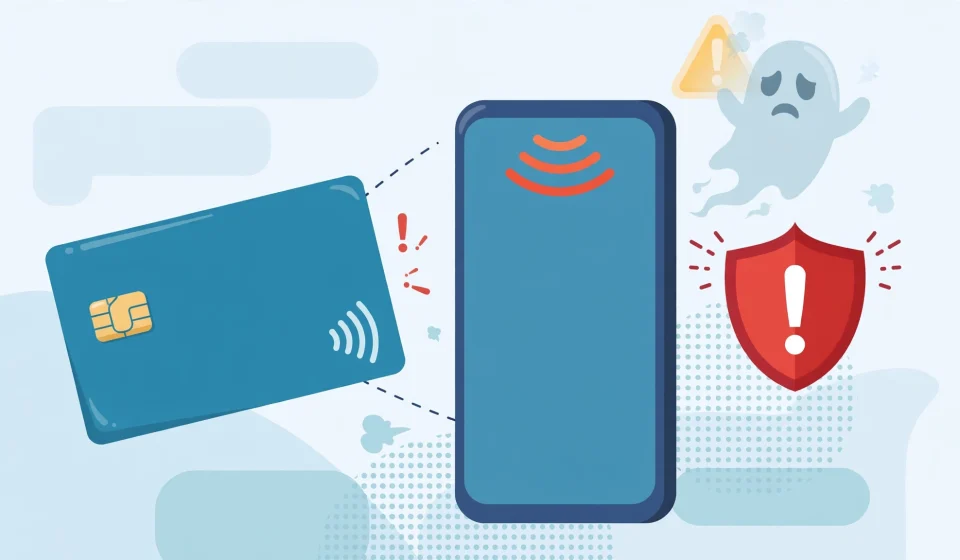
The ghost tapping scam is a type of contactless payment fraud in which a criminal uses a concealed NFC (Near Field Communication) reader to charge a victim’s contactless bank card or digital wallet without the victim’s knowledge or consent. The payment is invisible: no physical contact, no PIN entry, and often no alert until the victim checks a bank statement — hence the “ghost” in the name.
Contactless cards and phones communicate with a payment terminal when held within a few centimeters of it. In a ghost tapping attack, the criminal replaces the legitimate terminal with a small, battery-powered reader hidden in a bag or jacket pocket. Brushing past a victim in a crowd — on a train, in a market, or at a concert — the reader powers the card’s NFC chip and requests a payment, just as a shop terminal would.
Many countries allow low-value contactless payments without a PIN, so a single ghost tap can take a modest sum, often 25 to 100 dollars or euros depending on the local limit. Criminals repeat the trick across dozens of victims in a busy place, collecting many small payments that add up quickly — and that victims may not notice for days.
How Ghost Tapping Works
To understand the ghost tapping scam, it helps to know what happens during an ordinary tap-to-pay purchase — and which parts of that process a criminal can copy.
How Contactless Payments Work
Every contactless card contains a tiny NFC antenna and chip. Within about 4 centimeters (1.5 inches) of a payment terminal, the terminal’s radio field powers the chip, and the two exchange encrypted data: the card number, expiry date, and a one-time cryptogram proving the card is genuine. The bank checks the cryptogram, approves the payment, and the whole exchange takes less than a second.
The same technology powers phone wallets such as Apple Pay and Google Pay, and other everyday devices. A key fob that unlocks your car, for example, uses similar short-range radio technology to prove its identity to a reader without any physical contact — and the exchange happens automatically, with no button to press and no PIN to enter.
The Ghost Tapping Attack, Step by Step
A typical ghost tapping attack unfolds in a few quiet steps:
- The criminal prepares a reader. Cheap, legitimate NFC readers are widely available, and criminals configure them to request a fixed amount just under the local contactless PIN limit.
- The reader is hidden. It may be slipped into a backpack, a coat pocket, or a shopping bag, with its antenna facing outward — sometimes placed near ticket barriers, where people naturally pass close by.
- The criminal moves through a crowd. In a packed subway car, market, or festival queue, the attacker brushes past victims so the hidden reader comes within centimeters of a wallet or phone.
- The card responds automatically. The card’s chip cannot tell a criminal’s reader from a real shop terminal. It answers the payment request and generates the cryptogram, exactly as it would at a checkout.
- The payment is processed. The money moves to an account controlled by the criminal, often a fake merchant account or a mule account set up with stolen identity documents. The victim feels nothing and hears no beep.
Because the payment is small and contactless, it usually bypasses the PIN check entirely. The victim’s first clue is often a bank notification — if alerts are switched on — or a line on a monthly statement.
Relay Attacks: The Long-Range Version
A more sophisticated variant is the relay attack. Two criminals work together: one stands near the victim with a reader, the other at a real payment terminal some distance away. They relay the card’s NFC signal between the two locations in real time, so the distant terminal believes the card is present. Relay attacks are rarer, but researchers have demonstrated them against cards and phone wallets.
Is Ghost Tapping Real? Separating Fact from Hype
Ghost tapping is a real technique — security researchers have demonstrated it repeatedly, and police forces in several countries have reported cases. But it is important to keep the risk in proportion. Contactless fraud remains a small fraction of total card fraud, and most of the alarming videos circulating on social media are staged or exaggerated. The realistic picture is more nuanced than the headlines.
First, the range is genuinely short: NFC works over centimeters, not meters, so a criminal must get very close to your wallet. Second, modern cards use dynamic cryptograms — a one-time code per transaction — so criminals cannot copy card details from one tap and reuse them later. Third, banks monitor contactless transactions and usually block sudden bursts of small payments.
That said, the risk is not imaginary. The attack works best where people are packed together and distracted — rush-hour trains, concerts, festivals, and tourist hotspots. Individual losses are modest, but a criminal who taps fifty people in an afternoon can collect thousands. And because the theft is silent, victims often discover it late. The sensible response is not to abandon contactless payments, which remain far safer than carrying cash, but to add a few simple defenses.
7 Warning Signs You May Have Been Ghost Tapped
Ghost tapping is designed to go unnoticed, but it usually leaves traces. Watch for these warning signs:
- Small, unfamiliar charges. One or more low-value payments to merchants you do not recognize, often just under your country’s contactless limit, are the classic signature.
- Payments at odd times or places. A charge timestamped while you were asleep, at work, or in a different part of town from the merchant is a red flag.
- Multiple small charges in quick succession. Several taps within minutes of each other suggest a reader was working through a crowd, or testing your card repeatedly.
- A bank alert you did not expect. If your bank messages you about a payment you did not make, do not ignore it — and do not click links in the message. Contact your bank through its official app or the number on the back of your card: criminals also run spoofing scams that impersonate trusted senders.
- Someone pressed unusually close to you. A stranger bumping into you or holding a bag against you can be innocent — but combined with a strange charge, it is worth noting.
- Your card is declined or blocked unexpectedly. Banks sometimes freeze a card after detecting suspicious contactless activity. An unexplained block can mean the bank spotted something before you did.
- An unfamiliar payment in your phone wallet. If you use Apple Pay or Google Pay, check the transaction history regularly — an unfamiliar tap-to-pay entry is a clear warning sign.
Any one sign may have an innocent explanation. Two or more together should prompt an immediate call to your bank.
Who Is Most at Risk?
Anyone with a contactless card can be targeted, but commuters on packed trains and buses face the highest risk, because crowds give criminals cover and closeness. Tourists, festival-goers, and shoppers in crowded markets face similar exposure, especially those who carry wallets in back pockets or loose handbags. Phone users are somewhat safer: Apple Pay and Google Pay normally require a fingerprint, face scan, or passcode before releasing a payment, though express transit modes allow taps without authentication. Older cards without modern fraud monitoring, and cards from banks that do not offer instant transaction notifications, are also more attractive targets because the theft goes unnoticed for longer.
How to Protect Yourself from the Ghost Tapping Scam
Protecting yourself from ghost tapping is cheap and mostly involves habits you can adopt today. No single measure is perfect, but layered together they make you a much harder target.
1. Turn On Instant Transaction Alerts
This is the single most effective defense. Enable push notifications for every card transaction in your banking app, including small contactless payments. If a ghost tap happens, you will know within seconds and can freeze the card before the criminal tries again.
2. Use a Phone Wallet Instead of a Physical Card
Paying with Apple Pay or Google Pay is safer than tapping a physical card: the phone requires biometric authentication for each payment and sends the merchant a one-time token instead of your real card number. A locked phone simply refuses to pay a criminal’s reader. Keep your phone locked when not in use.
3. Keep Cards in an RFID-Blocking Wallet or Sleeve
RFID-blocking wallets and sleeves contain a thin metallic layer that blocks the radio field a reader needs to power your card’s chip. They cost only a few dollars, and tests show a well-made sleeve does prevent NFC communication. The protection is not absolute — a damaged sleeve, or a card left half outside it, will not help — but it is a sensible precaution for daily commuters.
4. Carry Only the Cards You Need
Every contactless card in your wallet is a potential target. Leave cards you rarely use at home in a safe place, and consider asking your bank for a non-contactless card if you seldom tap to pay. Fewer active cards means fewer chances for a criminal reader to find one.
5. Be Aware in Crowds
In packed places, keep your wallet in a front pocket or an inside jacket pocket rather than a back pocket or open tote bag. If someone presses a bag against you and lingers, step away and check your surroundings — alert, in the same way you would guard against a pickpocket.
6. Set Low Contactless Limits and Review Statements
Ask your bank whether you can lower your contactless payment limit, or disable contactless payments entirely on cards you only use at ATMs or online. Review your statements at least weekly, and reconcile any charge you do not recognize immediately. The faster fraud is reported, the faster the bank can reverse it and issue a replacement card.
7. Keep Your Cards and Phone Software Up to Date
Banks and phone makers regularly improve contactless security, including stronger cryptograms and better fraud detection. Accept app updates promptly and replace old cards when your bank issues a new one. If your bank offers virtual card numbers for online shopping, use them — they cannot be ghost tapped at all. Criminals constantly adapt, just as with the many Telegram scams and other fraud schemes that evolve every year.
What to Do If You Think You Have Been Ghost Tapped
Act quickly. First, freeze or block the affected card through your banking app or by calling the number on the back of the card. Next, report the unfamiliar transactions as fraud and ask the bank to investigate and reverse them — in most countries, banks must refund unauthorized payments reported promptly.
Ask the bank for the merchant name, time, and location of each fraudulent transaction, and keep a record of your report, including any reference number. Consider reporting the theft to local police or a national fraud service — your report can help authorities spot a pattern and warn others. Finally, review your other accounts for similar charges and turn on transaction alerts if you have not already.
Frequently Asked Questions
Can someone steal money by tapping my card in my pocket?
Yes, in principle. A criminal with a concealed NFC reader can trigger a low-value contactless payment from a card in a pocket or bag within a few centimeters. In practice the attack is uncommon, amounts are limited by contactless thresholds, and bank fraud monitoring catches many attempts. A phone wallet or RFID-blocking sleeve makes it far harder.
How close does a criminal need to be to ghost tap my card?
Standard NFC works over about 4 centimeters (1.5 inches), so the reader must almost touch your wallet. Relay attacks can extend that distance by passing the signal between two devices, but they need specialized equipment and an accomplice. A front or inside pocket makes it much harder for a stranger to get close enough unnoticed.
Does an RFID-blocking wallet actually stop ghost tapping?
A good-quality RFID-blocking wallet or sleeve does block the radio field that powers a contactless card, and laboratory tests confirm this. It is not foolproof: a worn sleeve, or a card stored outside the shielded section, will not protect you. Combine it with transaction alerts and phone-wallet payments.
Will my bank refund money stolen by ghost tapping?
In most cases, yes. Banks generally refund unauthorized transactions reported promptly, and contactless fraud is treated like other unauthorized card use. Rules and time limits differ by country and bank, so report unfamiliar charges as soon as you spot them and ask for written confirmation of the refund.
Is it safer to pay with my phone than with a contactless card?
Yes. Apple Pay and Google Pay require a fingerprint, face scan, or passcode before releasing a payment, and they share a one-time token instead of your real card number. A physical contactless card, by contrast, answers any reader that comes close enough. If you tap to pay often, switching to a phone wallet is one of the best upgrades you can make.
The Bottom Line
The ghost tapping scam is real, but it is also rare, limited in scale, and largely preventable. Criminals depend on crowds, distraction, and victims who do not check their statements. Turn on instant transaction alerts, pay with a phone wallet instead of a physical card, use an RFID-blocking wallet in crowded places, and review your statements weekly. Tap to pay with confidence — just make sure you are the only one doing the tapping.