
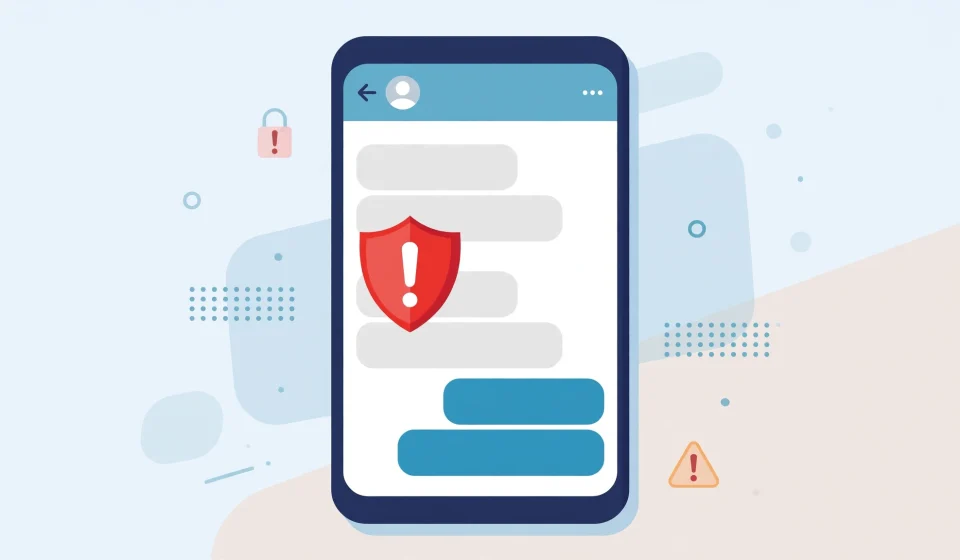

Telegram scams are now one of the fastest-growing forms of online fraud. With more than 950 million monthly users, Telegram has become a favourite hunting ground for criminals who use fake investment groups, impersonated support accounts, crypto giveaways and romance schemes to steal money and personal information. The app itself is legitimate and widely used, but its large public groups, loose identity checks and disappearing messages make it easy for scammers to operate at scale.
What Are Telegram Scams?
Telegram scams are frauds carried out through Telegram messages, groups, channels and bots. A scammer usually contacts you first, or lures you into a group, and then builds trust before asking for money, cryptocurrency, login details or a verification code. Many Telegram scams begin with a message that looks helpful, urgent or too good to be true: a support agent offering to recover a hacked account, a trader promising guaranteed returns, or a stranger offering a part-time job that pays in crypto.
Unlike email phishing, Telegram scams often feel personal. The scammer chats with you in real time, answers questions, shares screenshots of supposed profits and may even use voice notes. That personal touch is deliberate. It lowers your guard and makes the request for money feel like a normal step in a genuine conversation. Most Telegram scams fall into a few broad categories: financial fraud, impersonation, phishing for account access, and malware.
Why Telegram Is a Target for Scammers
Telegram is attractive to scammers for several reasons. First, anyone can create an account with only a phone number, and usernames can be chosen freely, so impersonating a well-known person, exchange or company takes minutes. Second, large public groups and channels make it easy to reach thousands of potential victims at once. Third, messages can be deleted for everyone, and secret chats can self-destruct, which helps scammers hide evidence.
Cryptocurrency is another reason. Telegram is heavily used by crypto communities, and crypto payments are fast, hard to reverse and often hard to trace. A scammer who convinces you to send USDT, Bitcoin or another coin to a wallet address usually keeps it. There is no bank to call and no chargeback to request.
10 Common Telegram Scams to Watch For
Below are the Telegram scams reported most often. Learn them once and you will recognise most new variations, because scammers recycle the same scripts with new names, logos and stories.
1. Fake Investment and Crypto Trading Groups
This is the most common of all Telegram scams. You are added to a group — often without asking — where an “expert trader” shares screenshots of huge profits and members praise the service. The group may have thousands of members, but many are bots or fake accounts. When you join, you are offered a managed account or a VIP signals group for a fee, or told to send crypto to a wallet so it can be “traded” for you.
At first, a fake dashboard may show your balance growing. When you try to withdraw, you are told to pay a tax, a withdrawal fee or an upgrade charge. Each payment leads to another demand, and the money never comes back. Real traders do not guarantee returns, do not need your money in their wallet to trade for you, and do not recruit strangers in random Telegram groups.
2. Crypto Giveaway and Doubling Scams
A channel impersonating a celebrity, exchange or project announces a giveaway: send 0.1 ETH and receive 0.2 ETH back, or send 500 USDT and receive 1,000 USDT. The post includes a countdown timer, fake comments from people who claim they received their doubled coins, and a wallet address. The giveaway is fake. Anything you send is gone. Legitimate companies do not run giveaways that require you to send crypto first. A real giveaway never asks for a payment, a seed phrase or a wallet connection to claim a prize.
3. Impersonation of Support Staff
In this scam, someone posing as Telegram support, Binance support, a wallet provider or an exchange admin messages you directly. They often appear after you post a question in a public group. They may say your account will be suspended, your wallet is at risk, or a transaction needs verification. They then ask for a code, a password or remote access to “fix” the problem.
Real support teams never message you first on Telegram and never ask for your password, two-factor code or seed phrase. If you need help, go to the official website or app and use the official support channel. Anyone who contacts you claiming to be support after you asked a question in a group is almost certainly a scammer. The same warning applies to spoofing, where criminals pretend to be someone you trust in order to get you to act quickly.
4. Fake Jobs, Task Scams and “Easy Money” Offers
Task scams are among the fastest-growing Telegram scams. A recruiter offers a simple remote job: like videos, rate products or complete small tasks, and earn a daily wage paid in crypto. The first tasks pay a small amount, which builds trust. Then you are asked to deposit money to unlock higher-paying tasks, buy a starter pack or pay a deposit for training. Once you pay, the recruiter disappears or invents new fees. Real employers do not ask you to pay to start work, do not pay wages through Telegram crypto wallets before an interview, and do not recruit through anonymous accounts with no company website.
5. Romance and Friendship Scams
A friendly stranger strikes up a conversation, often in a group you both belong to. Over days or weeks they build a close relationship, share personal stories and photos, and then a crisis appears: a medical bill, a blocked bank account, or a crypto investment they want you to join. The request for money is framed as a test of trust or a temporary loan. If a new online friend quickly moves to money or investment advice, step back and verify who they are through an independent channel.
6. Phishing Links and Fake Telegram Login Pages
Many Telegram scams use phishing links. You receive a message claiming you won a prize, need to verify your account, or must vote in a contest. The link opens a page that looks exactly like Telegram, a crypto exchange or a popular service, and asks you to log in. Entering your details hands your account or wallet to the scammer. Telegram will never ask you to log in through a link sent in a chat message. Always check the web address carefully, and never enter a password or verification code on a page you reached from a message. Learning how phishing is a type of social engineering attack will help you recognise these tricks on Telegram and elsewhere, because the psychology is the same even when the platform changes.
7. Fake Airdrops, Tokens and Premium Giveaways
A new token, a free Telegram Premium subscription or an airdrop is advertised in a group. To claim it, you must connect your wallet to a website or bot, or enter your seed phrase to verify eligibility. Connecting a wallet to a malicious site can allow the scammer to drain it, and a seed phrase gives them complete control. Never enter a seed phrase anywhere except the official wallet app when you are restoring it, and never connect a wallet to a site you reached through a Telegram message.
8. Fake Channels, Bots and Cloned Groups
Scammers clone popular channels and groups, copying the name, logo and pinned posts, then add one subtle difference — an extra letter, an underscore or a different username. Victims join the fake group thinking it is the real one, then follow instructions posted by the fake admins, which lead to scam websites or payment addresses. Before you trust a channel, check its username, member count and history. The real channel will usually be linked from the project’s official website.
9. Malware Disguised as Files, Apps and Premium APKs
Telegram allows file sharing, and scammers exploit it. A file named “Telegram Premium APK”, “crypto bot”, “movie” or “invoice” may actually be malware that steals passwords, seed phrases and banking details. The file may arrive from a friend whose account was hacked, which makes it look trustworthy. Do not download apps or executables from Telegram chats. Get apps only from official stores or the developer’s website, and confirm with a contact through another channel before opening an unexpected file.
10. Account Recovery and Verification Code Scams
One of the simplest Telegram scams is also one of the most damaging. A scammer asks you to forward a login code Telegram sent you, often pretending the code was sent to you by mistake, or that they need it to verify your identity. That code is the key to your account. Once they have it, they log in as you, lock you out, and use your account to scam your contacts. Never share a Telegram login code with anyone, for any reason. Turn on two-step verification in Telegram settings so that a code alone is not enough to take over your account.
Red Flags That Expose Telegram Scams
Most Telegram scams share the same warning signs: an unsolicited message about money, guaranteed or unrealistic returns, urgency and pressure, payment in crypto only, requests for codes, passwords or seed phrases, a newly created account with a copied profile, and too-perfect testimonials from group members who never ask critical questions. If a message ticks several of these boxes, treat it as a scam until you have strong evidence otherwise.
How to Protect Yourself From Telegram Scams
Turn on two-step verification under Settings, then Security and Privacy, and set a strong password. Limit who can see your phone number and who can add you to groups, restricting group invites to your contacts. Do not click links in unsolicited messages, scan QR codes from strangers, or download files or apps from Telegram chats. Never store a seed phrase in Telegram or in a screenshot, never connect a wallet to a site or bot you reached through a message, and verify every offer against the project’s official website. For a broader look at spotting dangerous links, see our guide to how phishing scams work on social apps, which covers the same tricks scammers reuse across platforms.
What to Do If You Have Been Scammed on Telegram
Stop all contact and do not send more money, even if the scammer promises a refund for one last fee. Report and block the account, group or channel inside Telegram. Secure your accounts: change passwords, enable two-step verification, and if you shared a seed phrase, move your remaining crypto to a new wallet immediately. Report the fraud to your bank if you paid by card or bank transfer, and to your local police or national fraud reporting service. If your Telegram account was taken over, end other sessions under Settings, then Devices, and warn your contacts.
Frequently Asked Questions About Telegram Scams
Are Telegram scams common?
Yes. Telegram scams are very common because Telegram is popular, easy to join and heavily used by crypto communities. Investment groups, fake giveaways, impersonated support accounts and task scams are reported daily, so unsolicited messages about money should always be treated with caution.
Can you get your money back after a Telegram scam?
Usually not, especially if you paid in cryptocurrency, because crypto transactions are generally irreversible. If you paid by card or bank transfer, contact your bank immediately about a chargeback or recall. Report the scam to the police and to Telegram even if recovery is unlikely, because your report can help stop the same scammer targeting others.
Is Telegram safe to use?
Telegram is safe when you use it carefully. Turn on two-step verification, limit who can add you to groups, never share login codes or seed phrases, and treat unsolicited money offers as scams. With those habits, Telegram is a useful and reasonably safe messaging app.
How do I know if a Telegram group is a scam?
Look for guaranteed returns, paid VIP access, fake testimonials, a newly created channel with a copied name, and admins who message you privately after you join. Check the username against the official website and search the group name with the word “scam”. A legitimate community welcomes questions; a scam group suppresses them.
What should I do if a friend’s Telegram account messages me asking for money?
Do not send money. Contact your friend through another channel — a phone call, a different app or in person — and ask whether they really sent the message. Hacked Telegram accounts are routinely used to ask contacts for crypto or gift cards. If the account was hacked, tell your friend to secure it and end all other sessions.
A Final Checklist Before You Trust a Telegram Message
Before you reply to a stranger, join a group, click a link or send a payment on Telegram, run through this checklist. It takes less than a minute, and it stops most Telegram scams before they start.
- Check the sender. Is this a contact you know, or a stranger? Has the account existed for long, and does its username match the official brand exactly?
- Check the offer. Does it promise guaranteed returns, free money, a prize you did not enter, or a job that pays far more than the work is worth?
- Check the pressure. Are you being rushed with a countdown, a threat or a limited-time offer? Legitimate offers give you time to think.
- Check the payment. Are you being asked to pay in crypto, gift cards or a wire transfer, or to pay a fee before you can withdraw or start work?
- Check the link. Hover over or long-press the link and read the full address. Does it go to the official domain, or to a lookalike domain with a misspelling?
- Check outside Telegram. Search the project, group or offer name on the web, look for the official website, and see whether independent sources warn about it.
- Check with a person you trust. If a message feels off, show it to a friend or family member. A second pair of eyes often spots what urgency hides.
Slow down, verify through an official source, and report anything suspicious — that is how Telegram scams fail.


[…] and then demand payment by another method. Report them on each app, not just the first one. Telegram scams are a common example of how criminals use messaging apps to run fraud and extortion, and the same […]
[…] will never ask for it. Similar impersonation tricks appear across messaging apps, as our guide to Telegram scams […]