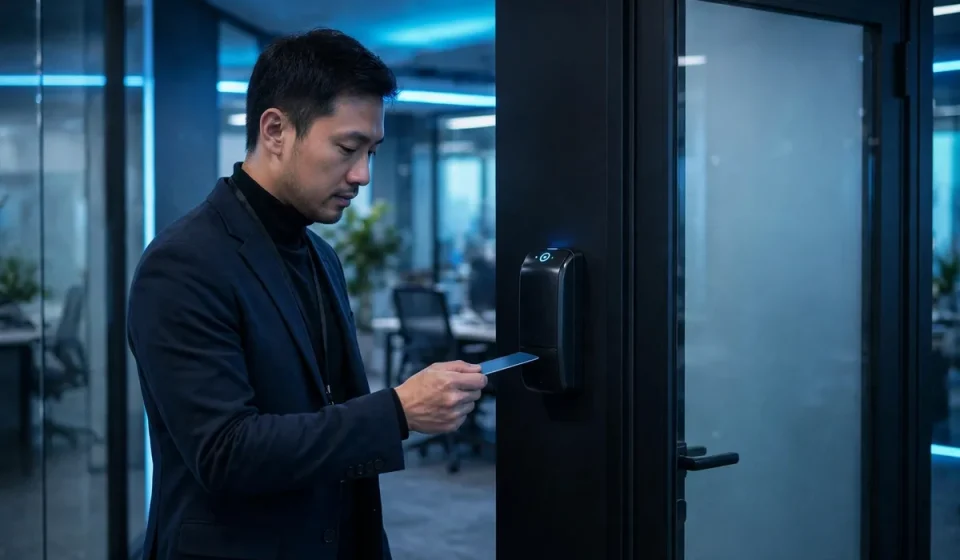

Cloud based access control systems have changed the way businesses protect offices, warehouses, data centres and other sensitive spaces. Instead of running access control from a server locked in a cupboard on site, the main software, rules and records live in the cloud. Doors, readers and controllers on site still do the physical work, but they are managed through a secure web dashboard that an administrator can open from anywhere. That shift matters because modern work is rarely confined to one building or one fixed team.
In this guide, you will learn what a cloud-based access control system is, how it works, the main types and models, the benefits and risks, and how to choose and roll out a system without disrupting daily work. If you are comparing a traditional on-premises system with a cloud option, this article will help you make a clear, practical decision.
What Is a Cloud-Based Access Control System?
A cloud-based access control system is a security system that controls who can enter a building, room or area, and when, using software hosted by a provider in the cloud. Employees, contractors and visitors use a credential, such as a key card, fob, PIN, mobile phone or biometric scan, at a reader. The reader sends the request to a controller, which checks the current rules and either unlocks the door or keeps it locked. Every attempt, successful or not, is logged in real time.
The key difference from a traditional system is where the brain lives. In an on-premises system, the management software and database sit on a local server that your IT team must maintain, back up and update. In a cloud system, the provider hosts that software, applies updates, stores backups and keeps the dashboard available online. Your local hardware still works if the internet connection drops for a short period, because controllers usually store recent rules and decisions locally, then sync again when connectivity returns.
Cloud access control is not the same as simply putting a camera system online. It is about identity and permission: the right person, in the right place, at the right time, for the right reason. When someone leaves the company, changes role or loses a credential, an administrator can revoke or change access in seconds, across every site, rather than collecting keys or reprogramming panels one by one.
How Cloud-Based Access Control Works
Although vendors differ in detail, most cloud access control systems follow the same flow. First, an administrator creates a user profile and assigns a credential and a set of permissions. Those permissions define which doors the person can open, on which days, and during which hours. A cleaner, for example, might have access to offices only on weekday evenings, while a warehouse manager might have access to storage areas around the clock.
Second, the user presents a credential at a reader. The reader passes the credential identifier to a door controller, which compares it with the rules it holds. If the credential is valid for that door at that time, the controller releases the lock. If it is not, the door stays locked and the failed attempt is recorded. Third, the event is sent to the cloud platform, where it appears in the live activity feed and in reports. Administrators can watch doors in real time, lock or unlock a door remotely, and investigate incidents without walking to the panel.
Many systems also integrate with other tools. A directory service can automatically create and remove users when people join or leave. A video system can link a door event to camera footage. An alarm system can trigger a response when a door is forced open or held open too long. These integrations are valuable, but they should be reviewed carefully: every integration is another connection that must be secured.
Types of Access Control Models
Understanding the model behind the system helps you set sensible rules. Role-based access control, often called RBAC, is the most common model in business. Permissions are attached to roles, such as manager, engineer or receptionist, rather than to individuals. When a person changes role, you change their role assignment and their access changes automatically. This reduces errors and makes audits far easier.
Attribute-based access control, or ABAC, goes further. It can consider attributes such as department, location, device, time of day and risk level. For example, access to a server room might require an employee to be on the IT team, to be on site during working hours, and to use a managed device. Rule-based access control uses fixed rules, such as time windows, while discretionary access control lets a resource owner decide who gets access. In practice, most cloud platforms combine RBAC with time rules and, for sensitive areas, extra verification.
| Model | How it works | Best for |
|---|---|---|
| Role-based (RBAC) | Permissions follow the job role | Most businesses, growing teams |
| Attribute-based (ABAC) | Permissions depend on several attributes | Sensitive areas, complex policies |
| Rule-based | Fixed rules such as time and location | Simple schedules, shared spaces |
| Discretionary | Owner grants access | Small teams, low-risk areas |
Credentials: Cards, Phones and Biometrics
Credentials are the keys of the system, and the choice affects both security and convenience. Proximity cards and fobs are cheap and familiar, but they can be lost, shared or cloned if older technology is used. Modern encrypted cards are much harder to copy. Mobile credentials, stored in a phone wallet, are convenient because most people already carry a phone, and a lost phone can be locked remotely. They also support features such as rotating credentials that are harder to reuse.
PIN codes are useful as a second factor or for visitors, but a PIN alone is weak because it can be shared or observed. Biometrics, such as fingerprint or facial recognition, tie access to the person rather than to something they carry, which reduces sharing. Biometrics also raise privacy questions and need careful handling of biometric data, clear consent and a fallback option. For high-security doors, the strongest approach is multi-factor access: a card plus a PIN, or a phone credential plus a biometric check.
Whatever credential you choose, the process for issuing, replacing and revoking it matters as much as the technology. A fast joiner and leaver process, a clear lost-credential procedure and regular reviews of who holds active credentials will prevent most everyday access problems.
Why Businesses Switch to the Cloud
The most obvious reason is remote management. A facilities or IT manager can add a new starter, change a schedule or lock down a site from a laptop, without travelling to each building. For businesses with several offices, shops or warehouses, that alone can save hours every week. Central reporting is another major benefit: instead of piecing together logs from separate panels, you get one view of who went where, when, across the whole estate.
Cost is also a factor, although it needs honest comparison. Cloud systems usually involve a subscription per door or per user, plus hardware and installation. On-premises systems have a larger upfront cost for servers and licences, plus ongoing maintenance, backups and upgrades. Cloud pricing can be higher over many years, but it avoids surprise server replacements and reduces the IT time spent on patching. For small and mid-sized businesses without a large IT team, that trade-off is often attractive.
Scalability is the third reason. Adding a door, a site or a new team should be a configuration change, not a major project. Cloud platforms also receive new features, such as improved reporting or new credential types, without a manual upgrade. That said, you should check contract terms, data storage locations, exit options and what happens if you stop subscribing, because access control is a long-term commitment.
Security Risks and How to Reduce Them
Moving access control to the cloud does not remove risk; it changes it. The connection between your site and the cloud, the administrator accounts and the vendor platform itself all become important. Strong administrator security is essential: use multi-factor authentication for every admin account, give each admin only the permissions they need, and review admin activity regularly. A shared admin login is a serious weakness.
Encryption should protect data in transit and at rest, and controllers should authenticate to the cloud platform rather than accepting any connection. Ask vendors how they handle outages, how long event data is retained, where data is stored and how they respond to a security incident. Physical security still matters too: controllers and wiring should be protected so an intruder cannot simply short a wire to open a door, and readers should be tamper-resistant where risk is higher.
Regular access reviews are the control most businesses neglect. Every quarter, review active users, dormant credentials, contractor access and permissions for sensitive rooms. Remove access promptly when roles change. Identity access management provides the wider discipline behind these reviews, because access control works best when it is tied to a trusted identity lifecycle rather than treated as a standalone door system. Similarly, zero-trust network access applies the same never-trust-by-default idea to network resources, and the two approaches reinforce each other.
Choosing a System: A Practical Checklist
Start with your buildings and risks, not with a product catalogue. List every site, door and area, and classify them by sensitivity: public, staff-only, restricted and highly restricted. For each area, decide who needs access, when, and what evidence you need if something goes wrong. This inventory will tell you how many readers and controllers you need and where the strongest controls belong.
Next, check compatibility and practicalities. Will the system work with your existing doors, locks and wiring, or will you need replacements? Does it support the credentials you want? Can it integrate with your directory, HR system or video platform? How does it behave during an internet outage, a power cut or a fire alarm? What support and service levels does the vendor offer, and how quickly can a faulty reader be replaced? Ask for a live demo with your own scenarios, not just a sales presentation.
Finally, compare total cost over three to five years, including hardware, installation, licences, subscriptions, support and the internal time needed to administer the system. A cheaper system that is hard to administer or that creates audit gaps is not a bargain. If you are unsure about technical terms on a vendor datasheet, what an access control entry is is a useful background read, because entries are the individual permission records that make up the rules you will be managing every day.
Rollout Without Disruption
A successful rollout usually happens in phases. Pilot the system on one site or one floor, with a small group of users, and gather feedback on readers, credentials and the admin dashboard. Train administrators before you train general users, and give users a simple guide for their first day: how to use the credential, what to do if a door does not open, and who to contact. Keep the old system running in parallel only for a short, planned period, because parallel systems create confusion and audit gaps.
Communicate clearly about privacy. Tell staff what data is collected, why, how long it is kept and who can see it. Door logs are personal data in many jurisdictions, so you need a lawful basis and a retention policy. Avoid using access data for unrelated monitoring, such as tracking working hours, unless that use is lawful, transparent and agreed. Trust is easier to keep than to rebuild after a privacy surprise.
Common Mistakes to Avoid
Common mistakes include giving everyone broad access just in case, never reviewing permissions, sharing admin accounts, leaving former contractors active, and choosing a system for price alone. Another frequent mistake is treating installation as the end of the project. Access control needs ongoing ownership: someone must own the policy, the reviews and the vendor relationship. Without an owner, permissions drift, credentials accumulate and the system slowly becomes less secure than the day it was installed.
Businesses also underestimate tailgating, where an unauthorised person follows an authorised person through a door. Technology can help with anti-passback rules, alarms for held-open doors and, in high-risk areas, turnstiles or mantraps, but staff awareness matters too. A polite reminder that every person should use their own credential is a simple, effective control.
Frequently Asked Questions
What is a cloud-based access control system?
A cloud-based access control system manages who can enter buildings and rooms using software hosted in the cloud, while readers and controllers on site control the doors. Administrators manage users, permissions and logs through a web dashboard.
Does cloud access control work if the internet goes down?
In most systems, yes, for a period. Controllers store recent rules locally, so authorised users can usually still enter during a short outage. Events are synced to the cloud once connectivity returns, although remote management and live monitoring will be unavailable during the outage.
Is cloud access control more secure than on-premises access control?
It can be, but security depends on configuration, admin practices and the vendor. Cloud systems benefit from regular updates and backups, while on-premises systems give you direct control over the server. Either option fails if admin accounts are weak or permissions are never reviewed.
How much does a cloud-based access control system cost?
Costs vary by number of doors, readers, credential types and subscription level. Expect hardware and installation plus a recurring subscription per door or user. Compare total cost over three to five years, including support, rather than the first-year price alone.
Can I manage multiple offices from one dashboard?
Yes. Multi-site management is one of the main advantages of cloud access control. You can apply consistent policies, view activity across sites and revoke access everywhere at once, while still setting site-specific rules where needed.