
An application control engine is the security control that decides, in real time, which programs are allowed to run on a device, server, or cloud workload — and which must be stopped before they can do any harm. If antivirus asks, “Do I recognize this threat?” an application control engine asks a stricter question: “Is this program explicitly approved to run here?” That change matters against new malware, living-off-the-land attacks, and unauthorized tools that have no known signature yet.
In this guide, you will learn what an application control engine is, how it works, how allowlisting differs from blocklisting, and how to roll it out without breaking legitimate work. You will also find a comparison table and a worked example you can adapt to a small team or a cloud environment.
What Is an Application Control Engine?
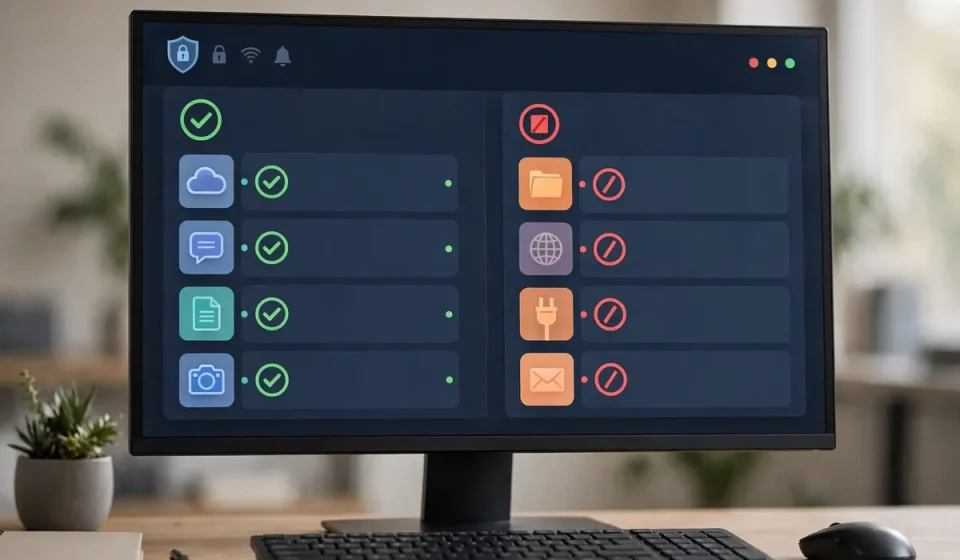
An application control engine is a policy-driven enforcement layer that governs software execution. Before a program, script, installer, driver, or library loads, the engine checks it against rules set by the security team. Approved software runs. Unapproved software is blocked, logged, or sent for review. Some engines also watch software while it runs, so a trusted program that starts behaving strangely can be stopped or restricted.
Think of it as a guest list at a secure building. The guard does not try to memorize every criminal in the world. Instead, the guard checks each person against an approved list and refuses entry to anyone who is not listed. That default-deny idea is central to Zero Trust security, where no user, device, or program is trusted simply because it is already inside the network.
Application control is not the same as a firewall, although the two work well together. A network firewall controls traffic between networks and services. An application control engine controls execution on the endpoint or workload itself.
How an Application Control Engine Works
Most engines follow the same basic flow, even when vendors use different names for their features.
1. Inventory and identification
First, the engine inventories installed software and identifies each item by more than its file name. Names can be copied, so strong engines use file hashes, digital signatures, publisher certificates, and file paths. A signed update from a trusted publisher can therefore be treated differently from an unsigned copy with the same name.
2. Policy decision
Next, the engine compares the execution request with policy. Policies can be broad, such as “only signed software from approved publishers may run,” or narrow, such as “this accounting application may run on finance computers, but not on shared kiosks.” They may also consider user, device, and location.
3. Enforcement and logging
If the request passes, execution continues. If it fails, the engine blocks it and records what was attempted, by whom, on which device, and when. That log shows attempted installations, shadow IT, and possible malware, even when the attack was stopped. Good engines also offer a monitor-only mode, so teams can see what would be blocked before enforcement begins.
4. Runtime monitoring
Modern engines do not stop at launch. They watch child processes, script interpreters, macros, and libraries loaded after startup. This matters because many attacks abuse a legitimate tool, such as PowerShell or an office application, to run malicious commands. Runtime control can block the risky child process while leaving the parent application working.
Allowlisting vs. Blocklisting: The Core Choice
Allowlisting permits only approved software. Everything else is denied by default. Blocklisting permits everything except software known to be bad. Both have a place, but they are not equal in strength.
Blocklisting is easier to start with because users rarely notice it, but it can only stop threats that are already known. A renamed file, a new variant, or a legitimate tool used maliciously can slip past it. Allowlisting requires more upfront work, but it blocks unknown code by default. That is why allowlisting is recommended for high-risk endpoints, servers, and fixed-function devices such as kiosks and point-of-sale terminals.
Benefits of an Application Control Engine
- Stops unknown malware: New ransomware and fileless attacks can be blocked before a signature exists, because the code was never approved.
- Reduces the attack surface: Unneeded tools, installers, and scripts are removed from what an attacker can use.
- Controls shadow IT: Unauthorized downloads are visible in logs and can be reviewed, rather than quietly spreading.
- Supports compliance: Clear policies and execution logs help demonstrate control over software in regulated environments.
- Protects cloud workloads: In containers and virtual machines, where workloads should change rarely, only approved images and binaries should run.
Application control also complements other checks. For example, vulnerability scanning finds known weaknesses in installed software, while application control stops unapproved software from running in the first place.
Where Application Control Is Used
On laptops and desktops, it stops a downloaded installer from running even if the user clicks it. On servers, a new binary is a strong signal of compromise and can be blocked immediately. On ATMs, medical devices, factory terminals, and public kiosks, where software rarely changes, strict allowlisting is practical and sharply reduces risk. In schools and shared labs, it keeps the shared image clean and predictable.
Extra Angle: Allowlist vs. Blocklist vs. Greylist Compared
Greylisting is the middle path many guides mention only in passing. A greylisted program is neither fully trusted nor fully blocked. It may run with restrictions, such as no access to sensitive files or no ability to launch other programs, until a reviewer approves it. Greylisting is useful during a rollout, when the team is still learning which legitimate tools employees use.
| Approach | Default decision | Strength | Main drawback | Best for |
|---|---|---|---|---|
| Allowlist | Deny unless approved | Blocks unknown code | More setup and approvals | Servers, kiosks, fixed devices |
| Blocklist | Allow unless known bad | Easy to start | Misses new or renamed threats | Flexible user devices, as a second layer |
| Greylist | Allow with restrictions | Balances safety and usability | Needs review and time limits | Rollouts, trial tools, uncertain software |
Use greylisting with an expiry date. If nobody reviews a greylisted item within 30 days, it should be approved, restricted further, or blocked. Without that discipline, a greylist slowly becomes a second allowlist that nobody maintains.
Worked Example: A 25-Person Company in One Week
Consider a small company with 25 laptops, one file server, and a cloud accounting system. On Monday, the team runs the engine in monitor-only mode and finds 42 legitimate applications, plus three unapproved file-sharing tools and an unknown browser extension. On Tuesday, they approve the 42 applications by publisher signature and hash, block the file-sharing tools, and remove the extension. On Thursday, a phishing email delivers a fake invoice installer, but the engine blocks it because it is not on the allowlist, and the log shows the exact time, device, and file hash. A successful click thus becomes a blocked, visible, and contained event.
How to Roll Out an Application Control Engine in 7 Steps
- Inventory first: Run in monitor-only mode for one to two weeks, covering normal work and updates.
- Approve by publisher and hash: Prefer signed software from known publishers, and use hashes for critical tools.
- Start with low-risk groups: Pilot on servers or fixed devices first, then expand to general staff.
- Create a fast approval path: A slow process pushes users toward workarounds. Aim for same-day decisions.
- Handle updates explicitly: Test how signed updates and auto-updaters are treated before enforcement begins.
- Plan exceptions carefully: Time-limit exceptions, record who approved them, and review them monthly.
- Monitor and tune weekly: Review blocked executions, fix false positives, and remove unneeded software.
Common Mistakes to Avoid
The most common mistake is turning on strict enforcement on day one, which blocks legitimate work and creates pressure to disable the control entirely. Another is approving software by file name alone, which an attacker can copy, or ignoring scripts and macros, a common route for fileless attacks. Finally, protect the policy itself with administrative controls and tamper protection.
Frequently Asked Questions
What is an application control engine in simple terms?
It is a security tool that only lets approved programs run on a device or server. Anything not approved is blocked or reviewed, which stops many new and unknown threats.
Is allowlisting better than blocklisting?
For most high-risk systems, yes. Allowlisting blocks unknown code by default, while blocklisting only blocks threats that are already known and listed.
Will application control break legitimate software?
It can, if enforcement starts before an inventory is complete. Run in monitor-only mode first, approve legitimate tools, and provide a fast approval process.
Does application control replace antivirus?
No. Antivirus detects and removes known malware, while application control enforces which software may run. Used together, they cover both known and unknown code.
Where should a small team start?
Start with servers and fixed devices, where software rarely changes. Then pilot the control on a small group of staff, review blocked items weekly, and expand gradually.
Conclusion
An application control engine turns software approval into an everyday security habit. Start with an inventory, use allowlisting where risk is highest, use greylisting carefully during transitions, and review your logs every week. Done this way, the engine does more than block malware: it gives you a clear picture of what is actually running in your environment.