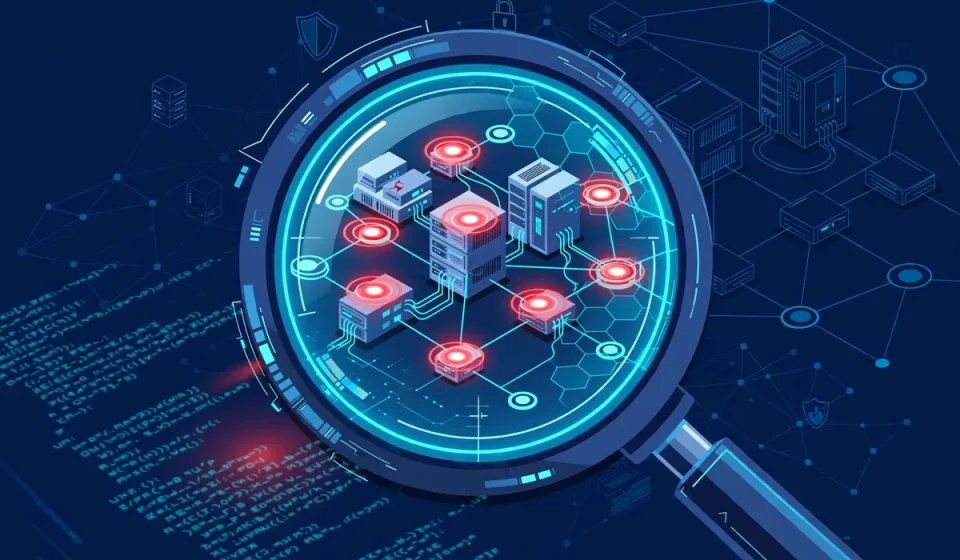

What is vulnerability scanning? In plain terms, it is an automated check that looks for known weaknesses in your systems, networks, websites and cloud services before attackers can find and use them. Think of it as a regular health check for your technology: the scanner tests what you own, compares what it finds against a list of known problems, and produces a report you can act on.
That simple idea matters because systems change constantly. Software is updated, new services are switched on, settings are changed, and old accounts or forgotten test servers linger. Each change can create a weakness. Vulnerability scanning helps you spot those weaknesses in a structured, repeatable way, rather than discovering them only after something goes wrong.
What vulnerability scanning is, in plain language
A vulnerability is a weakness that could let someone do something they should not be able to do: view data they should not see, change a system, take over an account, or interrupt a service. Vulnerability scanning is the automated process of searching for such weaknesses. A scanner sends safe, controlled checks to a target, gathers information about the software and settings it finds, and flags anything that matches a known weakness or a risky configuration.
It is important to be clear about what a scan does not do. A scan does not usually prove that an attacker can break in, and it does not fix problems by itself. It identifies likely problems and gives you evidence to investigate and fix. It is a detection and reporting tool, not a guarantee that a system is fully secure.
How a vulnerability scan works, step by step
Most scans follow the same five steps, even if the tools and targets differ.
1. Discovery
First, the scanner finds out what is actually there. That may mean listing devices on a network, domains and subdomains, cloud resources, servers, and web applications in scope. This step matters because you cannot protect something you do not know you own. Teams often discover forgotten servers, test environments and cloud storage that should have been switched off or secured.
2. Scanning
Next, the scanner probes each target. It may check which ports are open, which services are running, which software versions are in use, and whether common settings look unsafe. For web applications, it may also test how forms, logins and pages respond. The checks are designed to be non-destructive, but scans should still be agreed in advance, especially for production systems, because a heavy scan can put load on a service.
3. Analysis
Raw results are then compared with information about known weaknesses and risky configurations. The scanner groups duplicate findings, removes many false leads, and assigns a severity rating. Severity usually reflects how serious the impact could be and how easy the weakness might be to exploit. A careful review at this stage is essential, because not every flagged item is equally urgent, and some may not apply to your setup.
4. Reporting
The scanner produces a report that lists each finding, the affected system, why it matters, and suggested fixes. A good report separates the urgent items from the routine ones and gives enough detail for the right team to act, without burying the main risks in technical noise.
5. Remediation
Finally, the findings are fixed: software is patched, a setting is corrected, an unused service is removed, or access is tightened. After the fix, the affected area is usually rescanned to confirm the problem is gone. Without this step, scanning is only paperwork. The value comes from closing the gaps the scan found.
Types of vulnerability scanning
Different scans look at different parts of your setup. Most organisations need more than one type.
Network scanning
Network scanning checks devices and services reachable on a network, such as servers, routers, printers and workstations. It looks for open ports, outdated services and missing patches. This is useful for finding exposed systems and for checking that internal devices are not more open than they should be.
Host scanning
Host scanning focuses on a single computer or server. It checks the operating system, installed software, user accounts and local settings in more depth. It can find problems that are not visible from the network alone, such as an outdated application running locally or a weak local configuration.
Web application scanning
Web application scanning tests websites and web apps as a user would interact with them. It looks for problems in forms, logins, session handling and input handling, such as pages that accept unsafe input or expose data they should not. Because many breaches start with a web app, this type of scan is especially important for any organisation with a public website or customer portal.
Cloud scanning
Cloud scanning checks cloud accounts, virtual machines, containers and storage. It looks for misconfigurations such as storage that is open to the public, overly broad permissions, or resources that are not covered by logging and monitoring. In the cloud, a small setting change can expose a large amount of data, so this check is a practical safeguard.
Credentialed vs non-credentialed scans, explained simply
A non-credentialed scan looks at a system from the outside, without logging in. It sees what an external attacker might see. A credentialed scan uses approved login details, so it can inspect installed software, patches and settings from inside the system. Credentialed scans usually find more, and with fewer false alarms, because they do not have to guess. Non-credentialed scans are still useful, because they show your external exposure. Many teams use both: an outside view for exposure, and an inside view for depth.
Vulnerability scanning vs penetration testing
These two are often confused, but they answer different questions. Scanning asks, “What weaknesses might be here?” Penetration testing asks, “Can a skilled tester actually exploit a weakness, and what would happen next?” Scanning is automated and broad; penetration testing is manual, targeted and deeper.
| Feature | Vulnerability scanning | Penetration testing |
|---|---|---|
| Main question | What known weaknesses exist? | Can weaknesses be exploited, and how far can an attacker get? |
| Method | Mostly automated checks | Manual testing by a skilled tester, often with tools |
| Coverage | Broad and repeatable | Narrower, but deeper on chosen targets |
| Frequency | Often, including after changes | Usually periodic or before major launches |
| Output | List of findings by severity | Evidence of exploitation and practical impact |
The two work best together. Scanning finds the broad list; penetration testing tests the most important risks in depth. If you want a regular, service-based way to get that deeper testing, penetration testing as a service explains how that model works.
How often should you scan?
There is no single schedule that fits everyone, but a few rules help. Scan regularly, not only once a year, because new weaknesses are disclosed and systems change all the time. Scan after important changes, such as a new application launch, a major update, a migration to the cloud, or a change to network rules. Scan internet-facing systems more often than purely internal ones, because they are exposed to the widest audience. Finally, rescan after fixes, so you can confirm that a problem is actually closed and has not been replaced by a new one.
What to do with scan results
A long report can feel overwhelming, so prioritise by severity first. Start with critical and high findings on internet-facing systems and on systems that hold sensitive data. Check whether each finding is real for your setup, confirm what needs to be fixed, and assign an owner and a deadline. Patching is the most common fix, but sometimes the right action is to change a setting, remove an unused service, restrict access, or take a test system offline.
Keep a simple record of what was found, what was fixed, and what was rescanned. Over time, that record shows whether the same problems keep returning, which often points to a process problem, such as patching that is not applied consistently, rather than a single mistake.
Common mistakes to avoid
- Scanning only once and then stopping, while systems keep changing.
- Treating every finding as equally urgent, so the critical items get lost in a long list.
- Running scans without telling the teams who own the systems, then struggling to get fixes agreed.
- Scanning only the outside of the network and missing internal and cloud weaknesses.
- Collecting reports but never fixing, retesting or tracking the results.
- Assuming a clean scan means a system is fully secure. Scanning checks known weaknesses; it does not cover every possible attack.
Used well, vulnerability scanning is a routine habit, not a one-off project. It gives teams a clear, shared picture of risk, helps them fix the most important problems first, and makes it easier to show that security is being managed over time.
Frequently Asked Questions
What is vulnerability scanning?
Vulnerability scanning is an automated check that searches systems, networks, websites and cloud services for known weaknesses and risky settings, then reports what it finds so teams can fix the most important problems first.
Is vulnerability scanning the same as penetration testing?
No. Scanning is automated and broad, and it lists likely weaknesses. Penetration testing is manual and deeper: a tester tries to exploit weaknesses to show real impact. Many teams use both.
How often should vulnerability scanning be done?
Scan regularly, after important changes, and again after fixes. Internet-facing systems usually need more frequent scans than purely internal ones, because they are exposed to more potential attackers.
Does a clean vulnerability scan mean a system is secure?
No. A clean scan means no known weaknesses were found in the areas and checks covered at that time. It does not prove that no other weaknesses exist, and it does not replace secure design, access controls, monitoring and testing.
What should I fix first after a vulnerability scan?
Start with critical and high-severity findings on internet-facing systems and systems holding sensitive data. Confirm each finding, assign an owner, fix it, and rescan to confirm it is closed.