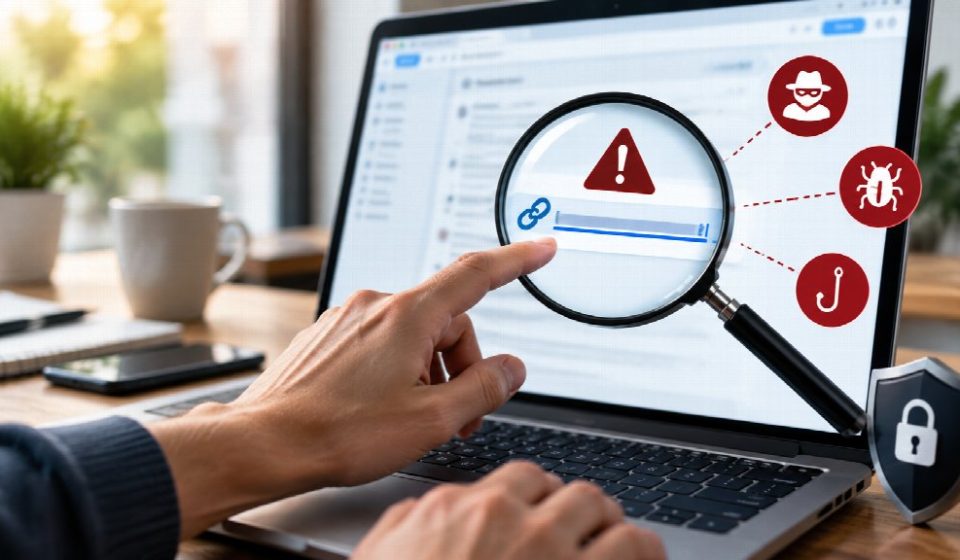

Links make the internet convenient. With a single click, you can open a news article, check an order, access a shared document, or respond to a message. That convenience also creates opportunities for scammers to direct people toward phishing pages, malware, fake login screens, and other harmful destinations.
A suspicious link is not always obvious. Some malicious links are disguised with familiar names, shortened URLs, or messages designed to create urgency. A message may appear to come from a company or person you recognize while quietly directing you somewhere completely different.
1. Check the Actual URL Before Clicking
One of the simplest ways to evaluate a link is to inspect where it actually leads.
On a desktop computer, moving your cursor over a link without clicking it will often display its destination. On a mobile device, pressing and holding a link may show additional information or options, depending on the browser.
This matters because the visible text does not necessarily match the actual destination. Cybersecurity guidance from CISA recommends being cautious with hyperlinks and checking whether the destination matches what the message claims.
If you receive an unexpected link and want another layer of checking, you can check if link is safe before visiting the destination.
The goal is not to judge a link solely by how professional it looks. Instead, look at the actual domain and ask whether it makes sense in the context of the message.
Pay Attention to the Domain
A suspicious website might use a domain that resembles a legitimate one but contains subtle differences.
For example, a scammer might use:
- Extra words or characters
- Misspelled brand names
- Unusual subdomains
- Unexpected domain extensions
- Random combinations of letters and numbers
A domain such as example-support.com should not automatically be treated as the official website of a company called Example.
2. Look for Misspellings and Strange Characters
Scammers sometimes create URLs that resemble legitimate websites at a quick glance.
A domain may contain a missing letter, an extra character, or a slightly different spelling. Some malicious addresses can also contain unusual characters or complicated strings that make the destination difficult to understand.
Do not assume that a familiar-looking word guarantees authenticity.
For example, a link that appears to reference a well-known service could use a variation of its name while actually leading somewhere unrelated.
Read From Left to Right Carefully
When examining a URL, identify the main domain rather than focusing only on the first familiar word you see.
In a URL such as:
accounts.example.com.security-check.net
the important domain is security-check.net, not example.com.
Understanding this basic distinction can help prevent deceptive subdomains from creating a false sense of familiarity.
3. Be Cautious With Shortened Links
URL-shortening services can be useful when long web addresses need to be shared in a compact format. However, they can also hide the final destination.
A shortened link may not reveal the domain until after you follow it.
This does not mean every shortened URL is dangerous. It simply means that you have less information available before clicking.
If a shortened link arrives unexpectedly, especially from an unfamiliar sender, consider verifying the source first. If the message claims to come from a business, visit the business’s official website independently rather than relying on the provided link.
4. Question Unexpected Messages
The context surrounding a link can be just as important as the URL itself.
The Federal Trade Commission warns that phishing messages commonly try to persuade people to click links by creating a sense of urgency or claiming there is a problem with an account, payment, delivery, or other service.
Be cautious when a message suddenly says:
- Your account will be closed today.
- Your payment failed.
- You have won a prize.
- A delivery requires immediate action.
- Your password needs to be verified.
- You must claim a refund.
- An unusual login requires confirmation.
Urgency can make people act before they have time to verify what they are seeing.
Pause Before Responding
Ask yourself whether you were expecting the message.
If you were not expecting it, avoid clicking immediately. Instead, contact the person or organization through a method you already know is legitimate.
For example, if your bank supposedly sends a security alert, open the bank’s official app or manually enter its known website rather than following the link in the message.
5. Check Whether HTTPS Is Present
HTTPS means that communication between your browser and the website is encrypted. It is an important security feature, but it should not be treated as proof that a website is trustworthy.
A malicious website can also use HTTPS.
Therefore, look at the complete domain rather than assuming a padlock or https:// automatically means the site is legitimate.
A secure connection protects the communication channel, but it does not establish who operates the website or whether the site’s content is trustworthy.
6. Consider Where the Link Came From
The source of a link provides useful context.
A message from a trusted contact may seem safer than one from an unknown sender, but even familiar accounts can sometimes be compromised. A friend’s social media account, email account, or messaging profile could be under someone else’s control.
That means you should consider both the sender and the message itself.
If a friend suddenly sends an unusual link with no explanation, contact them through another method and ask whether they actually sent it.
Be Careful With Social Media Links
Social media platforms contain large volumes of user-generated content, including posts, comments, direct messages, and advertisements.
Avoid assuming that a link is safe simply because it appears on a familiar platform. Evaluate the destination and context before opening it.
7. Watch for Login Requests
A particularly important warning sign is an unexpected request to log in.
Phishing websites often imitate the appearance of familiar services. The page may use similar colors, logos, layouts, or language to make the visitor believe they are signing into a legitimate account.
If a link unexpectedly asks for your password, payment details, security code, or other sensitive information, stop and verify the destination.
A safer approach is to open the service directly using its official app or by typing the known website address into your browser.
The FTC similarly recommends contacting an organization through contact information you know is legitimate rather than relying on information supplied in a suspicious message.
8. Don’t Trust Offers That Create Pressure
Scammers often combine suspicious links with offers that encourage immediate action.
Examples include unexpected:
- Prize notifications
- Discount offers
- Investment opportunities
- Refund notices
- Account warnings
- Job opportunities
- Gift card promotions
The problem is not that every offer is fraudulent. The warning sign is the combination of an unexpected message, a strong emotional appeal, and a demand to click quickly.
Take a moment to verify the claim independently before doing anything.
If the offer is genuine, you should usually be able to locate information about it through the organization’s official channels.
9. Use Independent Verification
When something seems suspicious, do not investigate only through the link you received.
Instead, find the organization independently.
For example, if a message claims to be from an online retailer, open your browser and manually navigate to the retailer’s official website. Log in there and check whether the claimed issue actually exists.
You can also contact the organization through a phone number or support channel obtained independently.
This approach removes the suspicious link from the verification process.
10. Know What to Do After an Accidental Click
Even careful users can occasionally click something they should not have.
If you accidentally open a suspicious page, do not panic. Avoid entering passwords, payment information, or other sensitive details. Close the page if possible.
If you downloaded a file or believe malware may have been installed, update your security software and run a scan. The FTC recommends keeping security software updated and scanning devices when malware may have been downloaded.
If you entered a password into a suspicious website, change that password through the legitimate service and consider enabling multi-factor authentication if available.
If sensitive financial or personal information was submitted, take appropriate steps to secure the affected accounts and monitor them for unusual activity.
Conclusion
Identifying risky links does not require advanced cybersecurity expertise. A few simple habits can make a significant difference: inspect the actual URL, look for suspicious domains, question unexpected messages, avoid rushed decisions, and verify important requests through official channels.
It is also important to remember that no single indicator proves that a link is safe or dangerous. HTTPS, familiar branding, a known sender, or a professional-looking page can all be misleading when considered alone.
The safest approach is to combine several checks and slow down whenever a message creates unusual urgency. A few extra seconds of verification can help prevent a much larger security problem later.
FAQs
1. Can a link look legitimate but still be dangerous?
Yes. A malicious link can use familiar words, convincing branding, or a website design that resembles a legitimate service. Always inspect the actual domain and consider the context in which the link was received. If the request is unexpected, verify it independently before entering any information.
2. Does HTTPS mean a website is safe?
No. HTTPS indicates that the connection is encrypted, but it does not prove that the website itself is legitimate. Malicious websites can also use HTTPS. Check the domain name, source of the link, page content, and reason you were directed there before trusting the site.
3. What should I do if I accidentally click a suspicious link?
Do not enter personal information or download anything. Close the page and run an updated security scan if you suspect a file was downloaded. If you entered a password, change it through the legitimate website and enable multi-factor authentication where available.