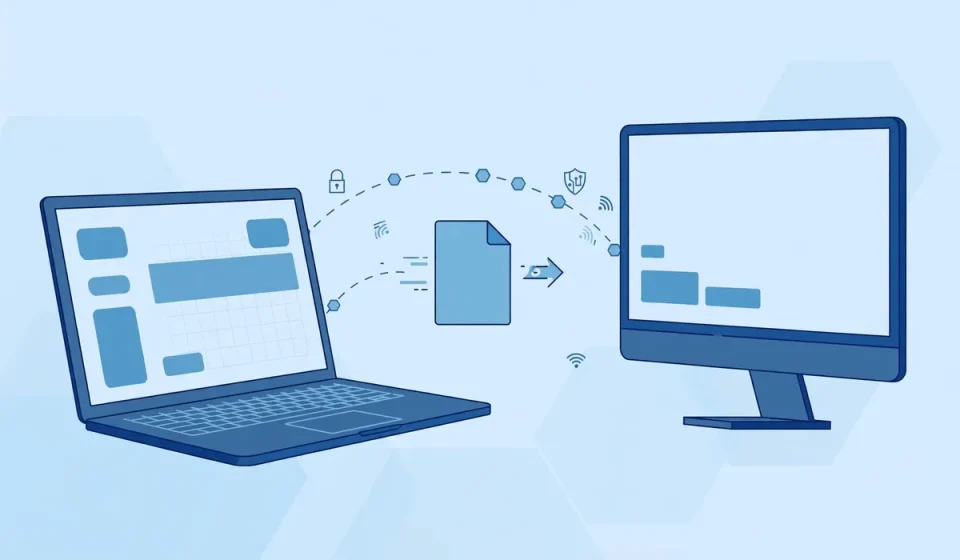

TFTP, short for Trivial File Transfer Protocol, is one of the oldest and simplest file-transfer protocols still in use. It was designed in the early 1980s, when networks were small, devices had very little memory, and moving a small file quickly mattered more than security. Today, TFTP still quietly powers network booting, firmware updates, and router configuration backups.
That simplicity is both its strength and its danger. TFTP has no usernames, no passwords, and no encryption. Anyone who can reach a TFTP server can often download or upload files from it. This guide explains what TFTP is, how it works, how it compares with FTP and SFTP, where it is still legitimately used, and how to use it safely.
What Is TFTP?
TFTP is a simple protocol for transferring files between computers on a network. It was first defined in RFC 783 in 1981 and later updated in RFC 1350 in 1992. The word “trivial” is deliberate: TFTP does only one job, moving a file from one place to another, with as little code and overhead as possible.
Unlike FTP, TFTP cannot list directories, rename files, delete files, or change permissions. A client can only read a file from a server or write a file to a server. That limitation is a feature in the right setting. A network switch that needs a new firmware image at boot time does not need a full file manager; it needs a tiny, reliable way to fetch one file. TFTP runs over UDP, the User Datagram Protocol, on port 69.
How Does TFTP Work?
A TFTP transfer starts when a client sends a read request or a write request to a TFTP server on UDP port 69. The server then replies from a different, temporary port, and the rest of the transfer takes place on that port. The file is split into blocks of 512 bytes. The server sends one block, waits for an acknowledgement, and only then sends the next block. If an acknowledgement does not arrive, the sender retransmits the block after a short timeout.
The final block is smaller than 512 bytes, which tells the receiver that the transfer is complete. Because every block must be acknowledged, TFTP is reliable on a local network, but it is slow over long-distance or lossy links, where each acknowledgement adds delay. TFTP uses only five message types: read request, write request, data, acknowledgement, and error. Most modern transfers use octet mode, for binary files such as firmware images, rather than netascii mode for plain text.
TFTP vs FTP vs SFTP
The easiest way to understand TFTP is to compare it with the two protocols most people know. FTP is older and more capable, while SFTP is the secure, modern replacement for most file-transfer work. The table below shows the key differences at a glance.
| Feature | TFTP | FTP | SFTP |
|---|---|---|---|
| Transport | UDP | TCP | TCP over SSH |
| Default port | 69 | 21 | 22 |
| Authentication | None | Username and password | Username, password, or key |
| Encryption | None | None by default | Yes, full encryption |
| Directory browsing | No | Yes | Yes |
| Best use | Booting and firmware | General file transfer | Secure file transfer |
FTP adds authentication and directory commands, but it still sends usernames, passwords, and files in plaintext, so it is not safe on an untrusted network either. SFTP, which runs over SSH, encrypts both the login and the data. For everyday file sharing, SFTP is the clear choice. TFTP wins only where a device is too simple to run SSH or FTP, or where a transfer must start before an operating system has loaded.
Where Is TFTP Still Used Today?
TFTP has survived for more than 40 years because it solves a narrow problem better than any heavier protocol. It needs very little memory, almost no configuration, and no user interaction, which makes it ideal for devices that cannot run a full operating system.
PXE Boot and Network Booting
One of the most common uses of TFTP is PXE boot, the Preboot Execution Environment. When a computer starts with no operating system, its network card can use DHCP to find a boot server, then use TFTP to download a small boot image. That image starts the installer or loads a diskless operating system.
Firmware Updates for Routers and Switches
Network vendors still use TFTP to deliver firmware to routers, switches, firewalls, and access points. An administrator copies a firmware file to a TFTP server, then tells the device to download it. The process is simple, scriptable, and works even when the device has only a basic command-line interface. The same method is used for VoIP phones, printers, and other embedded devices.
Network Device Configuration Backups
Administrators regularly back up switch and router configurations with TFTP. A single command can copy the running configuration to a TFTP server, creating a restore point before a change. Scheduled backups protect against misconfiguration and hardware failure, and they make it easy to restore a known-good configuration quickly.
TFTP Security Risks: The Danger Competitors Often Miss
Most introductions to TFTP mention that it is insecure and move on. The real risk deserves a closer look, because TFTP is still running on many networks that were set up years ago and never reviewed. The protocol was designed for trusted local networks, not for the internet, and every one of its design choices creates a security problem today.
First, TFTP has no authentication at all. There is no username, no password, and no key. If a TFTP server is reachable, anyone can request a file. Second, TFTP has no encryption. Files, including device configurations that may contain passwords, travel in plaintext and can be read by anyone who can observe the traffic. Third, because TFTP runs over UDP, it is easy to spoof. An attacker can forge a source address and trick a server into sending files to another target.
Fourth, TFTP has no integrity checking beyond its simple block acknowledgement. It cannot prove that a file came from a trusted source or that it was not altered in transit. Poorly configured servers can also allow directory traversal, where an attacker requests files outside the intended folder. A single exposed TFTP server can therefore leak sensitive network information, distribute malicious firmware, or become a tool for denial-of-service attacks.
The risk is not theoretical. Security scanners routinely find TFTP servers exposed to the internet, often left open by accident after a firmware update or a temporary test. A network firewall should block UDP port 69 from the internet, and TFTP should never be reachable from outside a trusted management network.
How to Use TFTP Safely: 7 Practical Rules
TFTP can still be used safely if you treat it as a controlled, internal tool rather than a general file-sharing service. Follow these seven rules to reduce the risk to a manageable level.
- Keep TFTP on a private management network. Never expose UDP port 69 to the internet.
- Use a dedicated TFTP directory. Serve files from one isolated folder only.
- Restrict access by IP address. Allow only known devices, such as switches and PXE clients, to reach the server.
- Prefer read-only access. Allow uploads only when a backup is needed.
- Follow system hardening basics. Patch the server, run it with minimal privileges, and log every transfer.
- Verify firmware before you install it. Check the vendor signature or hash of every firmware file.
- Stop the server when you do not need it. Run it on demand and shut it down afterwards.
If a transfer must cross an untrusted network, do not send it over TFTP in the open. Move the file first over a secure channel, or transfer it inside a site-to-site VPN, and use TFTP only on the trusted side.
When to Use TFTP — and When to Replace It
Use TFTP when a device cannot do anything else, when you are booting over a network, or when you are updating firmware on a closed management network. Replace TFTP with SFTP, SCP, or HTTPS for every other file transfer, especially if the file contains sensitive data or crosses the internet.
Frequently Asked Questions About TFTP
What does TFTP stand for?
TFTP stands for Trivial File Transfer Protocol. It is a simple, lightweight protocol for transferring files over a network, defined in RFC 1350. It is called “trivial” because it offers only basic read and write operations, with no authentication, encryption, or directory browsing.
What port does TFTP use?
TFTP uses UDP port 69 for the initial request. After the request, the server replies from a different, temporary port. This is different from FTP, which uses TCP port 21, and SFTP, which uses TCP port 22.
Is TFTP secure?
No, TFTP is not secure by itself. It has no authentication, no encryption, and no integrity checking. Files are sent in plaintext, and anyone who can reach the server can often download or upload files. Use it only on a trusted, isolated management network, never on the internet.
What is TFTP used for today?
TFTP is still used for PXE network booting, firmware updates for routers, switches, and VoIP phones, configuration backups for network devices, and file transfers on embedded systems. It survives because it is tiny, simple, and works before an operating system has loaded.
What is the difference between TFTP and FTP?
TFTP uses UDP port 69, has no authentication or encryption, and can only read or write a file. FTP uses TCP port 21, supports usernames, passwords, and directory commands, but still sends data in plaintext by default. For secure transfers, SFTP is better than both, because it encrypts the login and the data over SSH.