IT Asset Management: The Complete Guide to Tracking, Securing, and Getting Value From Every Asset

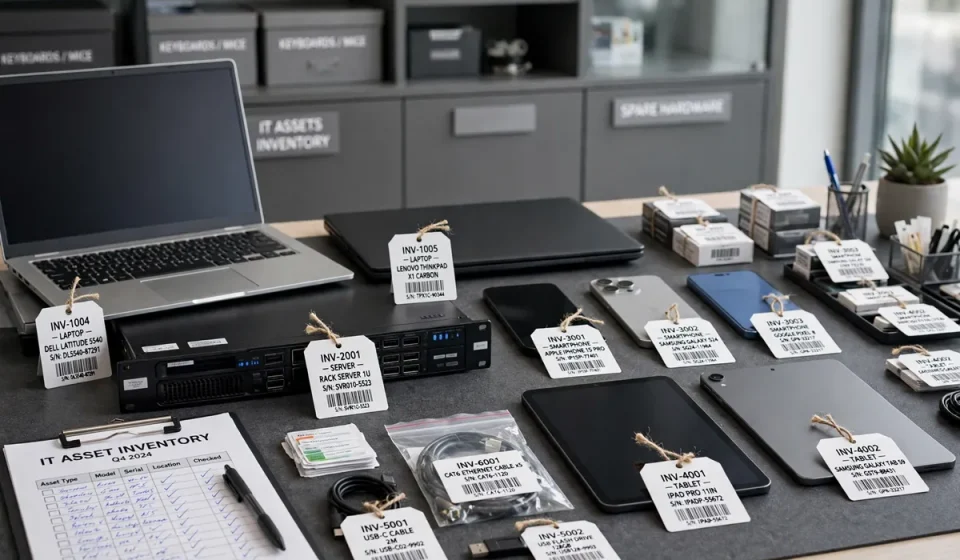
IT asset management is the discipline of knowing exactly what technology your organization owns, where it is, who uses it, and whether it is secure and still worth keeping. If you cannot answer those questions in minutes, you are not just disorganized. You are overspending, exposed to risk, and likely to fail an audit when it matters most.
This guide explains IT asset management in plain language. You will learn what counts as an asset, how assets move through their lifecycle, how to build a workable process, how to choose tools, and how to close the security gap that most guides overlook: the unknown and shadow assets attackers love to find first.
What is IT asset management?
IT asset management, often shortened to ITAM, is the systematic tracking and management of an organization’s IT assets throughout their lifecycle. It combines inventory records, financial information, contracts, and usage data so leaders can make better decisions about buying, maintaining, and retiring technology.
Good ITAM is not a one-time spreadsheet cleanup. It is an ongoing practice. When a laptop is issued, a license is renewed, a server is moved to the cloud, or a device is retired, the record should change at the same time. When records lag behind reality, every later decision is based on guesswork.
Why IT asset management matters
Organizations that manage assets well gain control in five practical ways:
- Lower costs. You stop paying for unused licenses, duplicate tools, and devices nobody uses.
- Less risk. You can patch, update, and retire assets before they become easy targets.
- Faster support. Help desks resolve problems quickly when they know the device, software version, and owner.
- Stronger compliance. Audits are easier when ownership, licenses, and disposal records are complete.
- Better planning. Replacement budgets and cloud migrations are based on real age, use, and performance data.
Without ITAM, the same questions keep returning: Do we already own this? Is this software licensed? Who is responsible for that server? Each unanswered question costs time and money.
What counts as an IT asset?
An IT asset is any hardware, software, cloud service, or data-related resource that supports your work and carries cost, risk, or value. The main groups are:
Hardware asset management
Hardware includes laptops, desktops, servers, phones, tablets, printers, network switches, routers, and peripherals. For each item, record its type, serial number, location, assigned user, purchase date, warranty, and condition.
Software asset management
Software includes purchased applications, subscriptions, open-source tools in production use, and licenses tied to users or devices. Track license counts, renewal dates, version, and actual use. Shelfware, software bought but never used, is one of the most common sources of waste.
Cloud and digital assets
Cloud assets include virtual machines, storage, databases, software-as-a-service accounts, domains, and certificates. These can be created in minutes and forgotten just as quickly, which makes regular cloud reviews essential. A cloud resource with no owner is a cost and a security risk.
The IT asset lifecycle
Every asset follows a lifecycle, from planning to disposal. Managing each stage prevents gaps where assets disappear from view or remain active long after they should have been removed.
| Stage | What happens | Key action |
|---|---|---|
| Plan | Need is identified and options are compared | Approve business need and budget |
| Procure | Asset is purchased or subscribed to | Record cost, vendor, and license terms |
| Deploy | Asset is configured and assigned to a user | Tag, secure, and document the owner |
| Maintain | Asset is patched, supported, and monitored | Track updates, incidents, and performance |
| Review | Use, cost, and risk are reassessed | Renew, reassign, or plan replacement |
| Retire | Asset is removed from service | Wipe data and revoke access securely |
How to build an IT asset management process
You do not need an enterprise platform to start. You need a clear owner, a single record, and a habit of updating it. Follow these steps:
- Assign an owner. Name one person or team responsible for the inventory, even if others help update it.
- Discover what you have. Combine network scans, purchase records, cloud consoles, and a physical walk-through.
- Create one inventory. Use one system as the source of truth, not several competing spreadsheets.
- Record the essentials. For each asset, capture owner, location, status, cost, and renewal or warranty date.
- Link assets to people and services. Knowing who uses an asset makes support, access control, and offboarding far easier.
- Review on a schedule. Reconcile the inventory monthly and audit it fully at least once a year.
- Enforce the process for changes. New purchases, returns, and disposals should update the record before the task is closed.
Choosing ITAM tools
Tools range from simple spreadsheets for very small teams to dedicated ITAM platforms, IT service management suites, and cloud cost tools. A spreadsheet may work for fewer than 20 devices, but it breaks down when assets change often, staff leave, or cloud accounts multiply.
When comparing tools, look for automated discovery, license tracking, lifecycle workflows, reporting, and integration with your help desk and security tools. The best tool is the one your team will actually update. A powerful platform that nobody maintains is worse than a simple system used consistently.
The security angle most guides miss: shadow and unknown assets
Here is the angle many ITAM guides underplay. An asset you do not know about cannot be patched, monitored, or protected. Attackers routinely scan for forgotten servers, test environments, old websites, shared accounts, and devices connected without approval. Those unknown assets are often the easiest way in.
Shadow IT makes this worse. It includes software, cloud apps, and devices adopted without IT approval, often with good intentions. A team signs up for a file-sharing app, a developer spins up a test server, or an employee connects a personal device to company data. Each creates risk: unpatched software, weak passwords, unreviewed data sharing, and no clear owner when something goes wrong.
Understanding what a vulnerability actually is helps explain why this matters. An unknown asset with an unpatched flaw is not a theoretical problem. It is an open door that no one is watching. ITAM closes that door by turning unknown assets into known, owned, and maintained ones.
Small-company inventory starter checklist
If you run a small team, use this starter checklist to find shadow assets in a single week:
- List every laptop, phone, and server, and name one owner for each.
- Export users and subscriptions from your main cloud and email accounts.
- Check network and Wi-Fi records for devices you do not recognize.
- Review credit-card and invoice statements for software and cloud charges.
- Ask each team what tools they use that IT has not approved.
- Remove or formally approve each unknown item, and record the decision.
- Set a monthly reminder to repeat the scan and update the inventory.
This checklist also supports a broader information security audit, because auditors will ask the same question attackers ask: can you prove you know everything connected to your systems? For smaller teams, the same discipline fits naturally into a practical approach to cloud security for small business, where limited staff must cover more ground with fewer tools.
Common IT asset management mistakes
Three mistakes undermine otherwise good intentions. First, treating inventory as a project rather than a process, so records go stale within months. Second, recording purchases but not assignments, so no one knows who is responsible when a device is lost. Third, focusing only on cost while ignoring security, so risky, unsupported assets stay in use because they are already paid for. Avoid those three errors and your program will outperform most.
Frequently asked questions
What is IT asset management in simple terms?
IT asset management is keeping a complete, up-to-date record of your technology, from laptops and software to cloud services, so you know what you own, what it costs, who uses it, and when it needs attention or replacement.
What is the difference between ITAM and ITSM?
ITAM focuses on the assets themselves: inventory, licenses, costs, and lifecycle. IT service management, or ITSM, focuses on delivering and supporting IT services, such as incident response and change management. The two work best together, because good service depends on accurate asset data.
How often should an IT asset inventory be updated?
Update the inventory whenever an asset is bought, assigned, returned, or retired. In addition, reconcile it monthly and perform a full audit at least once a year, or more often if your organization changes quickly.
What are examples of IT assets?
Examples include laptops, servers, mobile phones, network equipment, operating systems, business applications, software licenses, cloud subscriptions, domains, and digital certificates. If it costs money, stores data, or connects to your network, it belongs in the inventory.
Do small businesses really need IT asset management?
Yes, and often more urgently than large firms, because a single lost laptop or forgotten subscription has a bigger impact. A simple, well-maintained inventory, a named owner, and a monthly review are enough to start and deliver real savings and security benefits.
Conclusion
IT asset management is not about paperwork for its own sake. It is about control: knowing what you have, using it well, securing it properly, and letting go of it safely when its time is done. Start with a single inventory, assign every asset an owner, review it regularly, and hunt down the shadow assets before someone else finds them. That discipline will save money, reduce risk, and make every other security and IT decision easier.